.png)


On a typical Friday night, your POS is ringing nonstop—but your waitlist, mobile orders, and guest profiles are all living in separate systems. That disconnect costs real money: restaurants using three or more unintegrated tools report up to 20% slower service times. This is where aldelo for restaurants enters the conversation, not as a terminal, but as a foundation.
Modern restaurants rely on a stack of connected systems to operate efficiently. When mobile apps don’t talk to your POS, waitlists live in silos, and guest data never syncs, you feel it in longer lines, missed upsells, and frustrated guests.
Aldelo is designed to be a hub, not a standalone screen at the counter. With the right integrations, it connects ordering, front-of-house flow, and guest data into one operational workflow you can actually manage.
Next, we’ll step back and explain why Aldelo’s role as a POS foundation matters—before diving into how specific integrations solve everyday problems.
Why Aldelo for Restaurants Needs More Than a POS
To understand why integrations matter, you first need to be clear about what Aldelo actually does well on its own. Aldelo for restaurants is a reliable, transaction-focused POS built to keep operations running day to day. It excels at the core tasks every restaurant depends on, especially in fast-paced environments.
Out of the box, Aldelo POS handles order entry, menu management, modifiers, discounts, tax calculations, and payment processing. It tracks sales by item, server, and time of day, and produces standard reports like daily sales summaries and cash drawer balances. For many restaurants, this covers the basics needed to open, operate, and close.
That foundation matters. Industry data shows that 95% of restaurants rely on their POS as the primary system of record for revenue. If orders and payments aren’t accurate, nothing else works. Aldelo for restaurants delivers that stability, particularly for quick-service, fast-casual, and high-volume concepts.
The challenge starts when the POS is treated as the entire system instead of one part of a broader workflow. When Aldelo operates in isolation, it only knows what happens at the register. It doesn’t know who the guest is, how they found you, or what happened before and after the transaction.
For example, Aldelo can tell you that a burger sold at 12:37 PM for $12.99. On its own, it can’t tell you whether that order came from a first-time guest, a regular, or someone responding to a promotion. It also can’t show how long the guest waited or whether they attempted to order online and abandoned.
These gaps show up quickly in real operations. Restaurants don’t run on single, linear processes. They rely on connected workflows that start before a guest arrives and continue after they leave. A guest might discover you on Google, join a waitlist, receive a text, order, pay digitally, and receive a follow-up offer later.
Each step generates data. When those steps live in separate systems that don’t talk to Aldelo, visibility becomes fragmented. A Toast industry survey found that restaurants using three or more disconnected systems spend up to 10 hours per week reconciling data manually. That’s time lost during service.
This is where Aldelo as an operational data source becomes important. Think of Aldelo for restaurants not just as a POS screen, but as the engine that produces clean, structured transaction data. That data becomes far more valuable when other systems can read it, respond to it, and send insights back.
When Aldelo is integrated properly, it becomes the source of truth for items sold, check totals, payment status, and timestamps. Other tools—such as mobile apps, waitlists, and guest engagement platforms—can build on that truth. Menus, prices, and taxes stay aligned without re-entry.
From an operator’s perspective, this directly affects decision-making. Weekly decisions require more than POS totals. Staffing depends on arrival patterns and wait times. Marketing depends on repeat visits. Menu changes depend on performance across dine-in, takeout, and mobile orders.
Consider a practical example. Your Aldelo reports show strong lunch sales from 11:30 AM to 1:30 PM, yet guests complain about slow service. Without waitlist or mobile order data tied back to Aldelo, you can’t see that arrivals spike in a short window and guests abandon after waiting.
Another example is guest retention. POS data may show that 40% of revenue comes from repeat customers, which matches benchmarks. What it doesn’t show is who those guests are or why new guests don’t return. That insight comes only when Aldelo’s data connects to guest profiles.
This is why forward-thinking operators see Aldelo for restaurants as the starting point, not the finish line. The POS captures what was sold. Integrations explain why it was sold, who bought it, and what should happen next. That’s the shift from reporting on the past to shaping future performance.
In the next section, we’ll look at the first major integration layer that builds on Aldelo’s core data: mobile ordering and branded restaurant apps, and how they extend your POS beyond the counter.
How Aldelo for Restaurants Integrates with Restaurant Mobile Apps
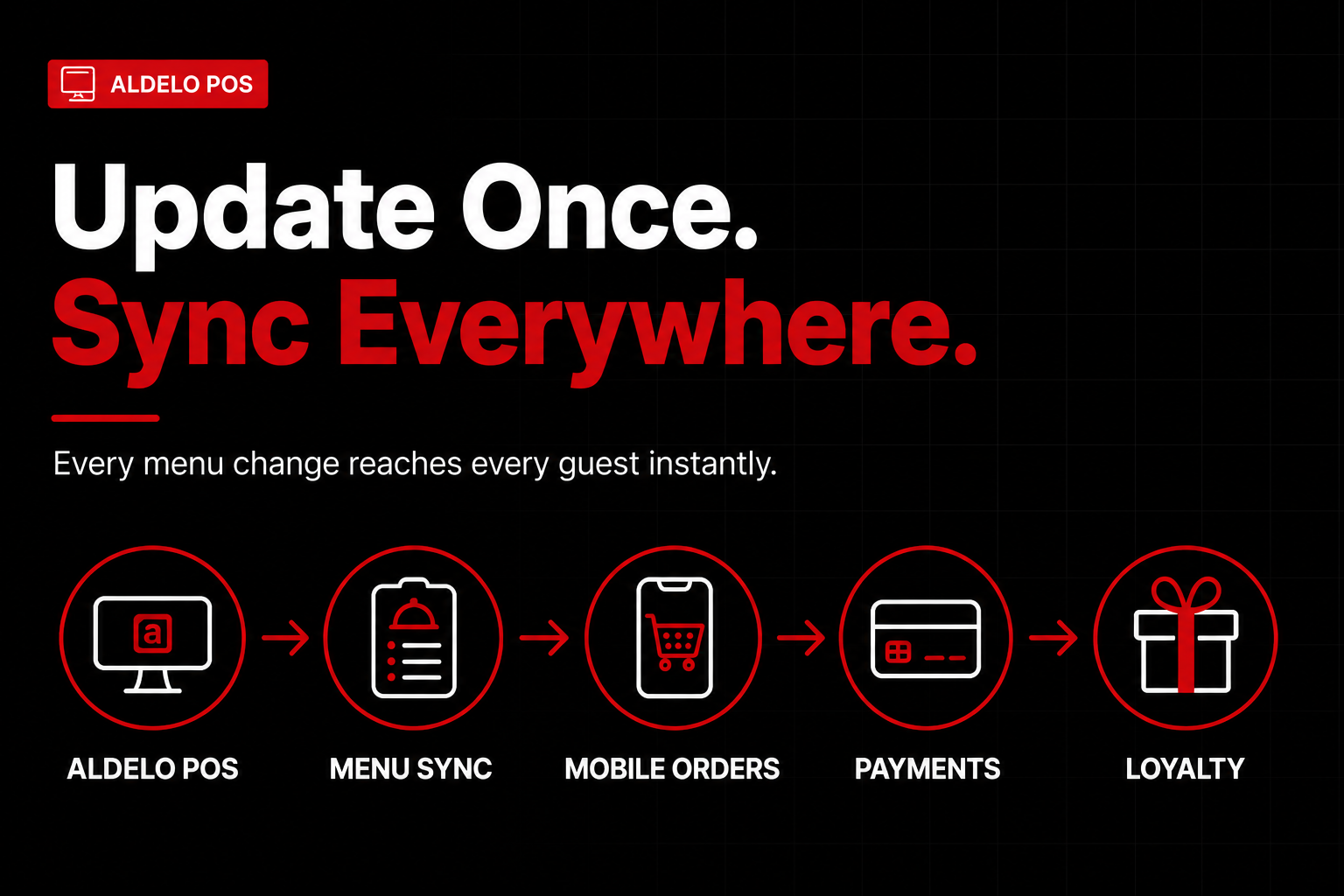
Once you extend Aldelo beyond the counter, the most immediate impact comes from mobile ordering and branded apps. For many operators, this is where aldelo for restaurants stops being just a POS and starts acting like an operational hub. A connected restaurant mobile app pulls live data from Aldelo, pushes orders back in real time, and creates a consistent guest experience across every channel.
At a technical level, most restaurant mobile apps connect to Aldelo through a middleware or certified integration partner. You don’t need to rebuild your POS or manage custom code. The app reads menu, pricing, taxes, and modifiers directly from Aldelo, and sends orders back as if they were entered by a cashier.
This matters because manual entry breaks down quickly. Restaurants that manually re-enter online orders average multiple errors per hundred tickets. At scale, those mistakes turn into daily guest issues. Direct integration eliminates that friction.
Here’s how the order flow typically works in a real operation. A guest opens your branded restaurant mobile app, selects items, chooses modifiers, and checks out. The order is instantly transmitted to Aldelo, routed to the correct revenue center, and printed or displayed on the appropriate kitchen station.
From the kitchen’s perspective, nothing feels new. The ticket looks like any other Aldelo order, follows existing prep rules, and hits the same expo screens. Staff don’t need to learn a second system, and you avoid the chaos of tablets ringing at the counter.
Menu synchronization is where many operators see the biggest day-to-day benefit. Because the mobile app pulls directly from Aldelo, any change you make at the POS reflects everywhere. Update a price, mark an item unavailable, or add a modifier, and the app updates automatically.
Modifiers and combos are especially important. Aldelo’s modifier logic—such as forced modifiers, upcharges, and exclusions—carries through to the mobile app. That means guests can’t skip required choices, and you don’t lose margin on forgotten add-ons.
Payments are another critical integration point. Most restaurant mobile apps process payments digitally but still tie the transaction back to Aldelo. Tips, taxes, discounts, and tender types post directly to the POS, keeping your end-of-day reports accurate.
For operators, this accuracy saves time. Instead of reconciling separate online sales reports, everything rolls up inside Aldelo’s reporting. Cashiers close the day faster, and managers spend less time chasing discrepancies.
Loyalty and repeat ordering are where mobile apps drive long-term value. When your restaurant mobile app is integrated with Aldelo, guest profiles connect directly to POS data. Every order contributes to visit history, spend averages, and reward balances.
Repeat ordering is another practical win. Guests can reorder their usual in two taps, while Aldelo processes the ticket with full modifier detail. Faster ordering increases conversion, especially during peak hours.
Operationally, connected systems reduce staff workload. Phones ring less because guests order through the app. Cashiers spend less time keying orders. Kitchen staff see cleaner tickets with fewer corrections.
For guests, the experience feels smoother and more reliable. Orders are accurate, pickup times are clearer, and loyalty rewards work. In competitive markets, that consistency often separates one-time visits from regulars.
If you’re evaluating mobile app integrations for aldelo for restaurants, focus on three checks: real-time menu sync, proper modifier behavior, and how payments and loyalty data post into Aldelo reports.
When these pieces connect, mobile ordering becomes an extension of core operations instead of a side channel. Once off-premise interactions flow smoothly, the next challenge is managing guests who are physically in your space.
That’s where on-premise tools like digital waitlists and reservations come into play—and how Aldelo integrations help you control the guest flow from door to table.
Connecting Waitlists, Reservations, and Front-of-House Data
Once you start controlling guest flow at the door, the cracks in disconnected systems become obvious fast. Many operators using aldelo for restaurants still rely on separate waitlist apps, reservation tools, and manual host notes that don’t talk to the POS. The result is predictable: inaccurate wait times, frustrated guests, and staff making decisions with incomplete information.
If your host stand is juggling an iPad for reservations, a printed floor chart, and Aldelo on the POS, you’re already feeling the pain. Inaccurate quoted wait times remain one of the top reasons guests abandon a visit before being seated, and even small gaps between promised and actual waits can significantly reduce satisfaction.
This is where Aldelo integrations with waitlist and reservation platforms change day-to-day operations. Instead of treating the host stand as a disconnected checkpoint, Aldelo becomes part of a shared front-of-house system that reflects what’s happening on the floor in real time.
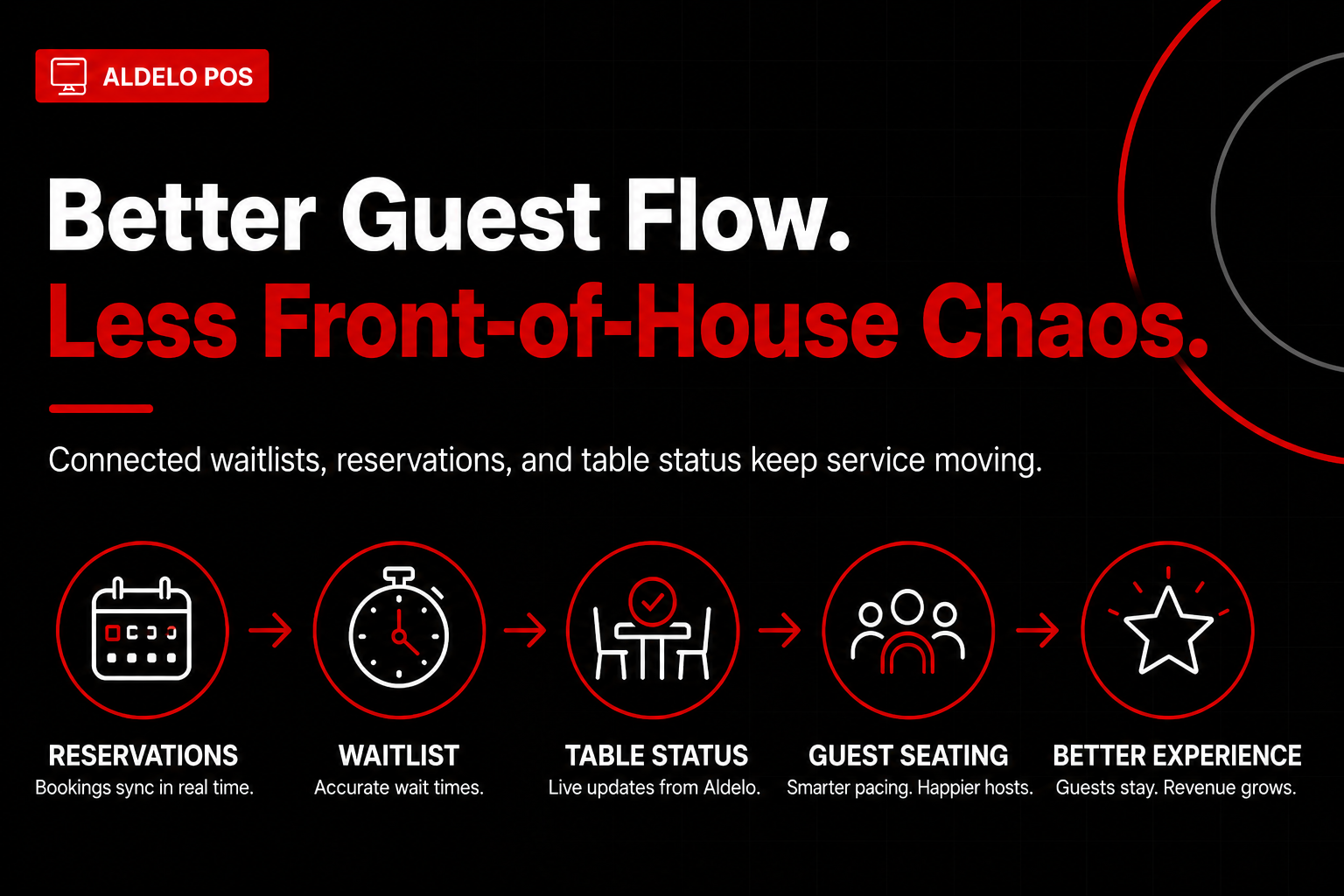
Modern waitlist and reservation tools can exchange data directly with Aldelo for restaurants through API or middleware integrations. When a reservation checks in or a walk-in joins the waitlist, that status syncs with Aldelo’s table and order data. Hosts no longer guess whether a table is “almost done” or fully paid and cleared.
When a table closes out in Aldelo, the waitlist system can automatically mark it as available. When a server opens a new table in the POS, pacing logic updates expected turn times. This two-way data flow gives hosts a live view of table readiness instead of relying on radio calls or visual cues.
Accurate table status is only part of the equation. Pacing matters just as much. Without integration, hosts often over-seat during rushes because they can’t see what’s already fired to the kitchen. With Aldelo connected to your waitlist or reservation platform, hosts can see active ticket volume and how long entrees are taking to leave the kitchen.
That visibility directly impacts quoted wait times. Instead of a vague estimate, hosts can give more precise ranges based on real sales and table turnover data. Restaurants using data-driven wait estimates consistently reduce walk-away rates, especially during peak weekend shifts.
The operational impact extends beyond the host stand. Servers benefit because tables are paced more evenly, reducing double- and triple-sat sections that slow service and hurt check averages. Aldelo for restaurants becomes the system that quietly keeps those rhythms in balance across the floor.
The kitchen feels the difference as well. Smoother seating flow means fewer ticket spikes and more predictable production. Kitchens operating under consistent pacing see faster ticket times, which translates into hotter food and fewer remakes.
From a staffing standpoint, integration reduces mental load. Hosts don’t memorize which tables are closing. Servers stop running status updates to the stand. Managers spend less time playing traffic cop and more time coaching service. Over a full shift, those efficiency gains compound.
Guests notice the difference immediately. They’re seated closer to the promised time, see fewer empty tables while waiting, and experience a calmer handoff from host to server. Perceived fairness and transparency in wait times increase satisfaction even when waits run long.
There’s also a trust factor. When waitlist texts are accurate and hosts sound confident, guests are more likely to stay, order appetizers, or accept bar seating. That directly improves revenue per cover without adding labor or floor space.
For operators evaluating integrations, start by mapping your actual front-of-house workflow. Identify where decisions happen without data—quoting waits, assigning sections, or holding tables for late reservations—then confirm your platform can send and receive table and order status from Aldelo.
The real power of aldelo for restaurants shows up when these operational signals are unified instead of siloed. You move from reacting to chaos to managing flow with intention, setting the stage for smarter decisions long after the rush ends.
Guest Data Flows: Turning Aldelo Transactions Into Actionable Insights
The real payoff of connecting waitlists, reservations, and mobile ordering to your POS comes after the rush. With aldelo for restaurants, every transaction becomes a data point that helps you understand who your guests are, how they behave, and what drives repeat visits.
On its own, a POS records sales. Through integrations, Aldelo becomes a system of record for guest behavior across channels. That shift—from isolated tickets to unified guest data—enables smarter marketing, tighter operations, and stronger long-term decisions.
Types of guest data Aldelo can capture through integrations
When Aldelo connects to the right tools, you collect far more than order totals. Integrations allow guest data to flow automatically, reducing manual entry and data gaps.
Individually, each data type has limited value. Together, they create context. Instead of guessing why promotions fall flat or weekends spike, you can see patterns and causes.
How mobile apps and waitlists enrich POS transaction data
A restaurant mobile app turns anonymous orders into known guests. When someone orders through your app or joins a waitlist with their phone number, Aldelo associates that identity with future transactions.
A guest who joins a waitlist, orders drinks while waiting, then places a later takeout order is no longer three records. Through integrations, that activity becomes one guest profile tied to Aldelo transaction history.
This matters because identity unlocks insight. You can see visit frequency, preferred dayparts, and responsiveness to app-only offers—visibility that POS data alone cannot provide.
Using unified guest profiles for marketing and retention
Once guest data is unified, marketing becomes specific. You can segment based on real behavior instead of assumptions.
Consider retention. Bain & Company reports that increasing customer retention by 5% can increase profits by 25% to 95%. Aldelo integrations give you tools to act on that reality.
Because these campaigns use actual Aldelo transaction data, they feel relevant. Relevance drives open rates, redemptions, and repeat visits.
Data ownership, visibility, and reporting considerations
A critical question is data ownership. With aldelo for restaurants, your POS remains the foundation, but integrations determine where data lives and how accessible it is.
Confirm that guest data captured through your restaurant mobile app, waitlist, or loyalty tools is visible to you—not locked in a third-party dashboard. Reporting should be exportable, readable, and tied to Aldelo sales data.
Operationally, this removes blind spots. You can connect marketing activity to actual revenue, not just clicks or downloads.
Examples of actionable insights restaurants can gain
When guest data flows cleanly, insights become practical.
These are not vanity metrics. They are operational levers you can pull now.
Most importantly, insights compound over time. The longer Aldelo and its integrations run together, the clearer your guest patterns become.
As powerful as this is, operators have questions about complexity, cost, and control. In the next section, we’ll address common concerns around Aldelo integrations and what to evaluate before making changes.
Frequently Asked Questions About Aldelo for Restaurants Integrations
Does Aldelo for restaurants support third-party mobile app integrations?
Yes. Aldelo for restaurants connects with third-party platforms that power mobile apps for ordering, loyalty, and guest engagement. Confirming the provider has an established integration or API experience matters.
How complex is it to connect waitlists or reservations to Aldelo?
For most operators, setup is straightforward with an experienced integration partner. The real work is operational—mapping table statuses, pacing rules, and staff workflows so the system reflects operations.
What guest data is accessible through Aldelo integrations?
Integrations expose guest-level details like visit frequency, order history, and spend patterns tied to Aldelo transactions. Paired with a restaurant mobile app or CRM, this data supports targeted offers.
Are Aldelo integrations suitable for single-location and multi-location restaurants?
Aldelo for restaurants serves both, but priorities differ. Single locations favor speed and simplicity, while multi-unit operators need centralized reporting, consistent profiles, and controls.
What should operators ask vendors before integrating with Aldelo?
Ask whether the integration is certified or custom, how data syncs between systems, and who supports issues after launch. Confirm what happens to guest data if you change vendors; ownership matters.
The Bottom Line
You started this journey looking for more than a basic POS, and that’s exactly where the real value lies. Aldelo for restaurants works best when it serves as the central hub that everything else connects to.
When your mobile app, waitlist, and guest data all flow through one system, the benefits compound. Orders are smoother, tables turn faster, and guest insights actually drive smarter decisions instead of sitting in silos.
The key is being intentional. Adding disconnected tools creates more work, not less. Planning integrations around your actual workflows keeps operations tight and scalable.
Your next step is simple: audit your current setup. Identify where data stops, where guests fall through the cracks, and which integrations could close those gaps. Then prioritize certified, well-supported connections that grow with your restaurant.
.png)


.png)


