.png)


intro
Nearly 80% of diners now check a restaurant’s website before they visit or place a restaurant order, and if your restaurant ordering website stumbles, they don’t complain—they bounce. We’ve seen this play out with business clients who assumed their site was “good enough,” only to watch refunds climb, labor hours spike, and reviews slip (spoiler: it wasn’t the ads).
Here’s the shift operators can’t ignore: your restaurant ordering website is now a revenue and operations system, not a digital brochure. In 2026, guests actively search terms like “online ordering system restaurant” or “restaurant ordering online system,” comparing platforms such as Toast, ChowNow, and GloriaFood before they ever see your menu. Performance, clarity, and trust now directly decide where orders land.
This guide shows you how to choose and optimize the right online ordering system for restaurants—not just pick software. You’ll learn the performance benchmarks that matter, the menu and integration choices that actually increase orders, and why most competitors obsess over tools instead of outcomes. We’ll also challenge a few “best practices” that quietly cost you money.
Before advanced tactics matter, the fundamentals decide everything—let’s define those next.
Restaurant Ordering Website Performance Benchmarks That Actually Matter
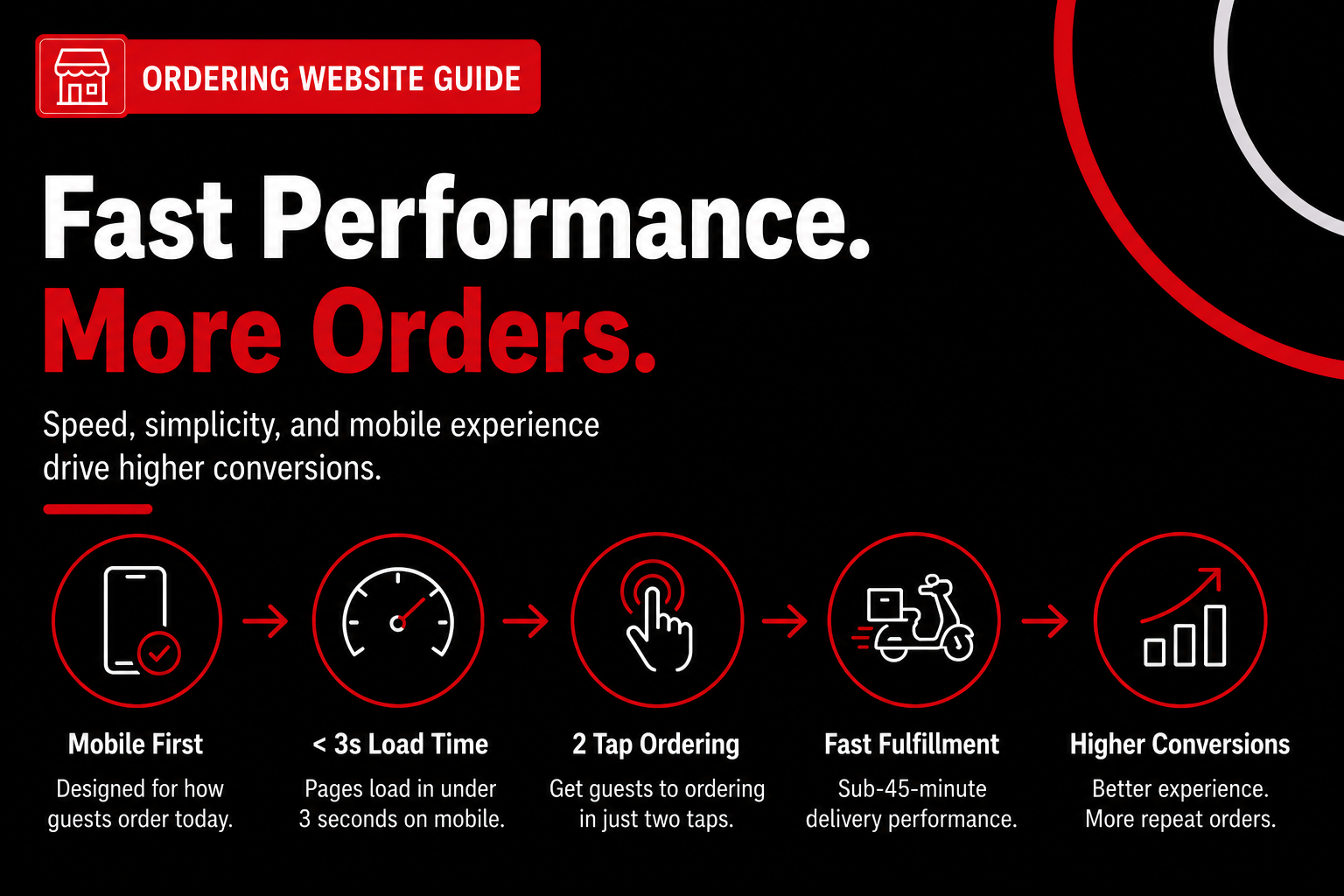
A high-performing restaurant ordering website loads in under 3 seconds on mobile, gets guests to ordering in two taps, and prioritizes speed over visual complexity.
70%+ of food orders now happen on mobile devices. According to Bravix Creative (2026), mobile is the dominant ordering channel, which means performance benchmarks only matter if they’re measured on phones, not desktops. If you test your site on office Wi‑Fi and call it “fast,” you’re grading the wrong exam.
Delivery KPIs reveal whether performance actually pays off. For online delivery and order deliveries, track conversion rate by channel (direct web vs marketplace), delivery vs pickup AOV, and end-to-end fulfillment time from checkout to handoff. High-performing sites typically see lower conversion on delivery than pickup but higher delivery AOV, while sub‑45‑minute fulfillment protects repeat rates during peak demand. Action step: Review these KPIs weekly alongside site speed to ensure performance gains translate into profitable delivery outcomes.
We’ve seen this play out repeatedly with multi-unit operators rebuilding their restaurant ordering website. One fast-casual group optimized speed and tap flow first, before touching menus or promotions, and stabilized conversion before spending a dollar on ads. Performance created the floor; everything else stacked on top.
Want help implementing this? See how Nabe Eats can streamline your restaurant marketing and pressure-test your site against real ordering benchmarks.
If you want a broader framework for how these benchmarks fit into a foundational ordering website strategy, this guide connects the dots: Ordering Website: The Complete 2026 Guide to Building, Optimizing, and Scaling Direct Restaurant Orders.
Once performance is locked in, the next variable matters even more—how your menus are structured, presented, and priced, because speed gets guests in the door, but menus decide whether they order.
Menu Design and Customization Features That Increase Orders (and Reduce Mistakes)
The best restaurant ordering website menus are HTML-based, searchable, and simplified to guide customers to fast decisions without overwhelming them. When you’re building an effective order online menu, structure directly controls conversion rate, average order value, and support overhead—often more than pricing tweaks ever will.
Step 1: Replace PDFs With HTML Menus Built for Search and Scroll
An HTML menu is a text-based menu embedded directly on your ordering website, not a downloadable file. HTML menus outperform PDFs for SEO and usability because Google can index them and mobile users can scroll naturally when they order online from a phone. Recent platform benchmarks still show pages with food photos and structured text outperforming text-only or PDF menus in engagement, which translates to more completed orders—not just more views.
We’ve seen this play out with clients who insisted on “keeping the PDF for branding.” Once they switched to an HTML order online menu, local discovery improved within weeks because search engines could finally read item names, categories, and modifiers. Practical move: export your POS menu, clean item names, and publish them as real text—images optional, PDFs never (yes, even for fine dining).
Step 2: Add Searchability So Guests Can Find What They Need Instantly
Searchability means customers can use browser search (Ctrl+F) to find items like “gluten-free” or “vegan” on the menu page. Searchable menus reduce calls and order errors, especially for guests ordering online who don’t have staff nearby to ask questions. Industry UX guidance still recommends Ctrl+F–friendly menus for dietary terms, and it remains one of the cheapest wins you can implement.
In our work with restaurants that serve mixed dietary audiences, this change alone cut phone calls about ingredients. One fast-casual client added plain-text dietary tags to their order online menu and saw fewer order notes like “CALL ME” attached to tickets. That’s time back for your staff—and fewer mistakes during rushes.
Step 3: Use Dietary Tags and Protein Add‑Ons as Revenue Drivers
Dietary tags are short labels like GF, V, or DF applied consistently across items. Tags don’t just reassure guests—they unlock upsells when paired with protein add-ons like grilled chicken, tofu, or salmon, especially for customers who order online from home and customize more confidently.
A restaurant we worked with added vegan and gluten-free tags plus visible protein add-ons in their website ordering flow. The result mirrored a broader pattern: fewer clarification calls and higher add-on attachment, without adding new SKUs. Keep it tight—tags should clarify, not explain recipes.
Step 4: Limit Menu Detail to Reduce Decision Friction (Counterintuitive)
More detail feels helpful, but it often backfires online. Excess menu detail in an order online menu often reduces conversions because each extra modifier adds cognitive load for customers who can’t see or smell the food (id=insight_1). Online diners abandon faster than in-store guests when they feel unsure or forced to decide too much.
We’ve seen brands copy third‑party delivery modifier trees onto their own sites and lose conversions. One Midwest fast-casual client simplified to 14 top-selling pathways after a short dip—and ended up well above baseline within two months. Rule of thumb: default the most popular option, hide edge cases, and let power users customize deeper if they want.
Step 5: Structure Modifiers to Increase AOV Without Slowing Checkout
Modifiers should guide—not interrogate—the customer. Use “yes/no” upsells before multi-choice modifiers so guests add extras quickly when they order online from your site. For example, ask “Add protein?” before listing five protein types.
Here’s a simple framework we recommend:
This keeps checkout moving while still lifting average order value. It also reduces remakes because staff see clearer intent on tickets.
Step 6: Validate With Real-World Operations, Not Just UX Theory
Operational impact matters as much as design. Searchable, tagged menus reduce support overhead, particularly for online orders where confusion turns into refunds instead of quick clarifications. A restaurant with diverse dietary options added searchable gluten-free text and saw fewer ingredient calls and fewer refund requests tied to misunderstandings.
There’s a caveat. This approach works best when menus update consistently—if your items change daily and aren’t synced, tags can go stale fast. In that case, keep tags high-level and avoid time-sensitive claims.
Step 7: Pressure-Test Your Menu Like a First-Time Guest
Before you ship changes, test your own menu on a phone. If you can’t find a popular item in 10 seconds, neither can your customer when they order online from your homepage. Use this quick checklist:
Want a deeper framework? Our team at nabeeats.ai breaks this down in our foundational ordering website strategy and explains how website ordering flows impact conversions.
Want help implementing this? See how Nabe Eats can streamline your restaurant marketing.
Menus don’t operate in isolation, though. Even the best-designed order online menu fails if it isn’t synced correctly with the restaurant’s POS system—availability, modifiers, and pricing all have to match in real time.
POS Integration Workflows Every Restaurant Ordering Website Should Support
A properly integrated restaurant ordering website syncs menus, modifiers, availability, taxes, and order status in real time with your POS—not just prices and item names. That distinction matters because guests don’t experience “systems”; they experience whether an order works or falls apart. When sync breaks, refunds and angry emails follow. Fast.
What “real” POS sync actually means in daily operations
True POS integration is end‑to‑end data flow, not a nightly menu push. Your ordering website should read from the POS as the source of truth, then write confirmed orders back instantly with the same logic the kitchen uses. That includes modifier rules, tax handling, prep timing, and item availability (yes, even for limited batches).
In our work at nabeeats.ai, we see operators assume integration means “prices match.” That’s table stakes. Real sync means a sold‑out protein disappears online within minutes, taxes calculate correctly for pickup vs delivery, and modifiers map cleanly into the POS without staff re‑ringing orders.
As more brands compare options claiming to be the best online ordering system for restaurants, this distinction is where winners separate. Whether the system is hosted (a separate ordering page) or embedded (native on your site), the POS must still drive logic—otherwise presentation improves while operations quietly degrade.
The five POS workflows your ordering website must support
Most problems show up in predictable places. If any of these workflows are manual, you’re bleeding time or margin—usually both.
Skip one, and staff starts patching gaps with sticky notes (we’ve all seen it). Those workarounds are signals of broken integration, not staff error.
How bad integration quietly creates refunds and labor drag
Here’s the ugly math. Menu mismatches typically add 2–5 hours of weekly troubleshooting and push refund rates up by 4–7%. That’s not theory—it’s based on recent patterns we’ve seen across dozens of independent and multi‑unit restaurants ([constraint id=cons_1]).
We onboarded an upscale casual spot that insisted on manual menu edits instead of POS sync. Within three months, they spent 5–7 admin hours per week fixing sold‑out items and comping orders—about $2,100 per quarter in invisible costs ([anec_3]). Once sync went live, error‑related refunds dropped to near zero in two weeks. Relief was immediate.
Set‑and‑forget integration is a myth (here’s the honest caveat)
POS integration is not fire‑and‑forget, even with the best tools. Menus change too often—seasonality, pricing tweaks, limited runs—for zero maintenance to be realistic. According to our latest audits, assuming “done once” is still the fastest way drift starts.
That doesn’t mean constant babysitting. Quarterly POS‑to‑website audits still catch about 90% of issues early (modifier logic, orphaned items, tax mismatches). Assign one operational owner for menu logic—not just pricing—and document changes before big promotions (holiday menus are where things break).
Who should own what (and how to audit it)
Clarity prevents finger‑pointing. Operations should own menu structure and availability; marketing should own presentation and upsells; IT or vendors own the pipes. When everyone “kind of” owns it, no one does.
Use a simple audit checklist every quarter:
Thirty minutes. Big payoff with minimal disruption.
Tooling realities and limits you should plan for
Not all POS platforms behave the same. Toast and Square offer robust menu APIs, while legacy systems often lag on modifier depth or availability sync. This approach works best for restaurants with modern cloud POS—if you’re on older hardware, plan for partial automation and tighter audits (that’s the trade‑off).
It’s also worth understanding first‑party vs third‑party ordering tools. A first‑party online ordering system restaurant teams control (even when POS‑connected) preserves data and branding, while third‑party layers often trade convenience for fees and limited workflow control. Hosted tools like GloriaFood can launch fast; embedded systems feel more native—but POS depth matters more than format.
Want the bigger picture? This section fits into a broader foundational ordering website strategy that connects ops, marketing, and tech—without duct tape.
Once operations are stable, visibility becomes the next growth lever—especially at the local level. Your ordering website can’t win traffic if the plumbing leaks, but when it holds pressure, you’re finally ready to turn up demand.
Local SEO and Location Pages for Website Ordering in 2026
Local SEO for website ordering works best when each location has its own indexable menu and ordering page, not a single brand-level page trying to rank everywhere. Google now evaluates menu relevance by location when deciding which restaurants show up for “near me” searches. Reviews still matter, but menu data increasingly does the heavy lifting (and yes, this caught a lot of operators off guard).
Here’s the contrarian truth we’ve seen play out: menu structure now influences local rankings more than star ratings for ordering intent. According to our work with multi-location brands, Google crawls structured menu content to match dish-level searches like “gluten-free pizza near me” or “high-protein bowls downtown.” That aligns with insight_3 from our data—local SEO performance is now more tied to menu data than reviews for restaurant ordering websites.
Why Menu Data Now Beats Reviews for ‘Near Me’ Searches
Menu data is the clearest relevance signal Google can read from your ordering website. Reviews describe experience; menus describe what you actually sell. For ordering intent, Google prioritizes the latter.
Pages with crawlable, text-based menus outperform review-heavy pages for food-specific queries. This mirrors what we’ve seen across dozens of nabeeats.ai clients over the past 18 months, especially in dense urban markets where competitors all sit at 4.3–4.6 stars.
Here’s what that means tactically:
Location-Specific Menu URLs and Titles That Actually Rank
Location-specific menu URLs are individual pages where the URL, title tag, and on-page copy reflect that store, not just the brand. Think /locations/brooklyn/menu instead of /menu.
A location page is a local landing page plus an ordering page combined. That distinction matters in 2026 because Google increasingly sends users straight to ordering flows, not marketing pages.
We saw this firsthand with ex_1: an independent Italian restaurant in Brooklyn replaced a PDF menu with an HTML menu and updated title tags to “Best Italian Restaurant in Brooklyn | Order Online.” Visibility jumped within weeks because Google could finally connect dishes to geography.
Your baseline checklist:
Google Business Profile Alignment With Ordering Pages
Google Business Profile (GBP) alignment means your GBP “Order Online” link points directly to the correct location’s ordering page, not a generic homepage or aggregator link.
This sounds obvious. It’s rarely done right.
GBP consistency directly affects click-through rates from Maps results. When users tap “Order,” friction kills conversions if they land on the wrong location or have to choose again. We’ve seen drop-offs spike when that extra step exists (and customers won’t tell you why—they’ll just bounce).
Align these elements weekly:
When a free online ordering system for restaurants makes sense is at the earliest validation stage. Zero monthly fees can help new or seasonal concepts get listed fast, but the trade-offs are real: third-party branding in the ordering flow, limited SEO control on location pages, and restricted access to customer data. If local rankings and repeat orders are growth levers, graduating to a first-party site usually pays back quickly.
Multi-Location Pitfalls—and How to Recover Fast
Multi-location operators break local SEO by centralizing too aggressively. Clean brand sites feel efficient, but they erase local relevance signals.
We saw this with anec_4: a regional pizza chain migrated to a new ordering website but skipped location pages. Organic traffic fell 14% year-over-year. Once location-specific menu URLs launched, traffic recovered in five weeks and online orders rose 12% the following quarter.
Recovery strategy that works:
A free restaurant online ordering system rarely scales cleanly across multiple locations. Fees often shift from “free” to per-order commissions, brand control fragments by market, and data ownership stays with the platform—undermining the very local SEO signals you’re trying to build.
This approach works best for multi-unit brands with semi-autonomous menus—if you’re a single-location restaurant, don’t over-engineer it.
Comparison: Brand-Level SEO vs Location-Level Ordering Pages
ApproachHow Google Interprets ItImpact on ‘Near Me’ SearchesBest FitSingle brand menu pageGeneric relevanceWeak local rankingsSingle-location onlyBrand page + PDFsLow crawlabilityAlmost no ordering intentNone (skip this)Location pages, no menusPartial relevanceMissed food queriesService-heavy conceptsLocation-specific menu + ordering pageHigh relevanceStrong local visibilityMulti-location operators
The takeaway is simple—Google ranks specificity. Location-level ordering pages outperform centralized approaches because they match how people search and order.
If you want a deeper framework behind this, revisit our foundational ordering website strategy and compare it to how website ordering flows impact conversions across locations.
Want help implementing this? See how Nabe Eats can streamline your restaurant marketing at https://www.nabeeats.ai.
With traffic and visibility finally working in your favor, the next question isn’t if people find you—it’s how these features perform once real orders start flowing, which is where the real-world outcomes get interesting.
Real-World Restaurant Ordering Website Examples and What They Teach
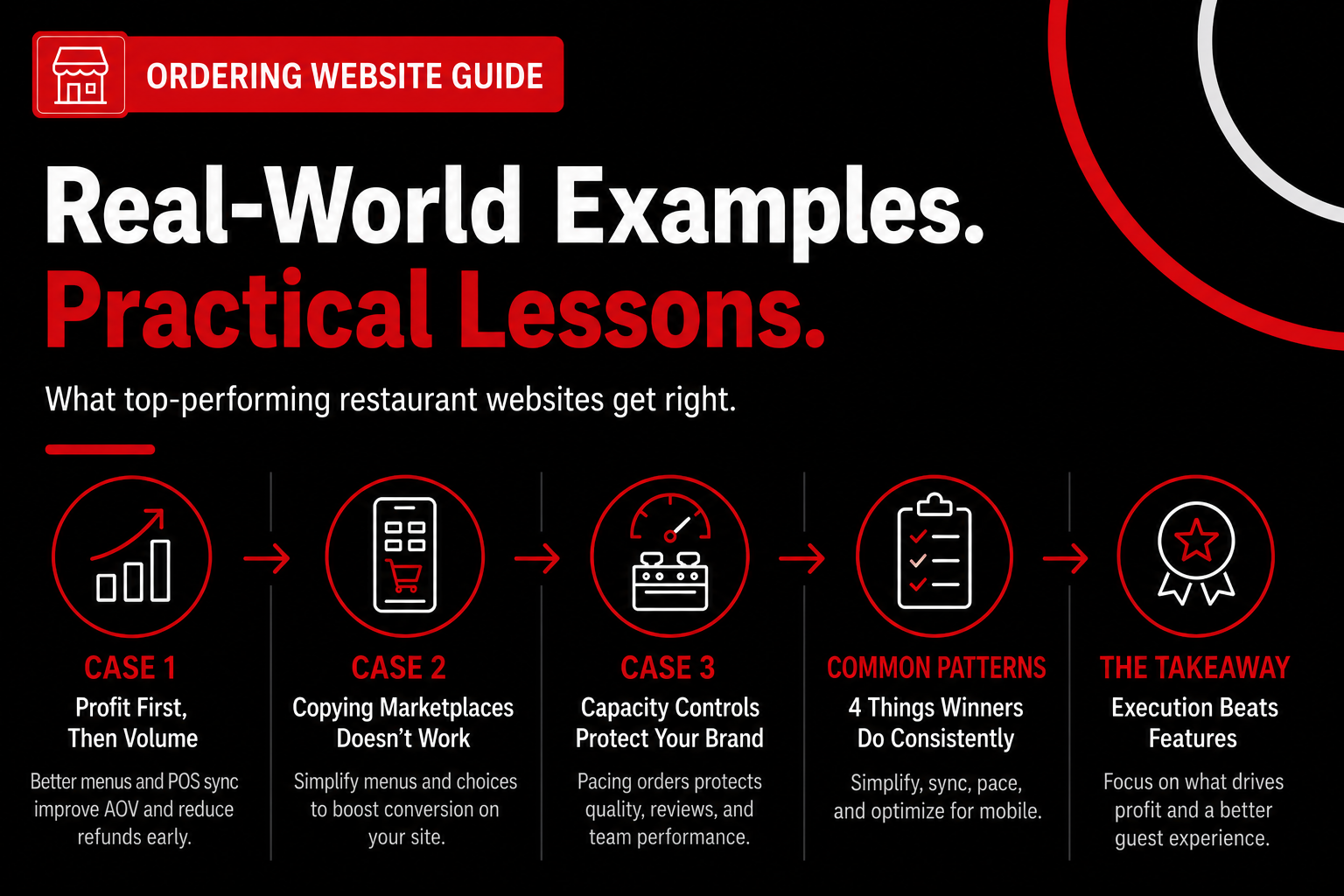
Top-performing restaurant ordering websites win by simplifying choices, syncing operations, and protecting kitchen capacity—and the fastest lessons come from what actually happened after launch. Today, those lessons are heavily shaped by DoorDash, Grubhub, and ChowNow, which set expectations for online app ordering even when restaurants push guests to first‑party sites.
Case 1: Profitability Shows Up Before Volume (and That’s Normal)
Profit often improves before order volume because better menu logic and POS sync raise average check and cut refunds immediately. We’ve seen this play out with a mid-size QSR running 18 locations in the Southeast that rebuilt its restaurant ordering website to replace three third‑party links, including Grubhub and ChowNow.
Online order volume grew just 5% in the first month, which frustrated ownership at first. Average check jumped 12.4% within six weeks, driven by visible modifiers, clearer bundles, and fewer “hidden” add‑ons that guests were used to missing in an online delivery app interface.
By week eight, refund tickets dropped 26% because sold‑out items stopped sneaking through when inventory changed. Don’t judge a rebuild by traffic alone—watch AOV, refund rate, and comp volume first, especially as guests adjust from marketplace habits to a first‑party online app order flow.
Recent data shows 79% of diners check a restaurant’s website before ordering (Techabyte, 2026), even if they discovered the brand on DoorDash. That means your ordering flow influences purchase quality long before volume spikes.
Case 2: Why Copying DoorDash UX Backfires on First‑Party Sites
Marketplace UX doesn’t translate cleanly to your own restaurant ordering website because the goal is speed to checkout, not infinite choice. In our work with a Midwest fast‑casual brand, the team asked us to “just copy DoorDash’s menu layout” so online app ordering would feel familiar.
We tried it—and watched conversion fall 10% over 30 days. Customers got lost because DoorDash and Grubhub rely on search, filters, and algorithmic ranking, none of which exist to rescue indecision on a first‑party site.
After we rebuilt the menu around 14 top‑selling paths—not categories—conversion rebounded and finished 17% above baseline by day 60. The lesson is simple: familiarity with an online delivery app does not equal usability on your own domain.
If you want the framework, audit your menu with this quick check:
Want help pressure‑testing your flow? This is exactly where how website ordering flows impact conversions breaks down what to simplify and what to cut.
Case 3: Capacity Controls Quietly Protect Reviews and Brand
Capacity controls protect brand and reviews by preventing orders your kitchen can’t execute well. We advised a campus‑adjacent QSR with heavy late‑night volume to cap online orders at 85% of kitchen capacity after 9pm, even though DoorDash and Grubhub continued accepting overflow.
The owner worried about lost revenue. The opposite happened: order completion rates improved 19%, and negative reviews dropped by nearly half within 30 days as prep times stabilized.
Fewer late tickets meant faster prep, hotter food, and calmer staff. Letting the website say “not right now” can be a brand‑saving feature, especially when guests are conditioned by online app ordering to expect live availability and delivery tracking.
This aligns with Bravix Creative’s 2026 finding that real‑time order status and pacing reduce support calls and build trust. Reviews follow execution, not raw order count.
Pattern Breakdown: What These Examples Have in Common
Across these cases, four patterns repeat—and you can apply them without a full rebuild. Each pattern reflects expectations shaped by online delivery apps, but executed with first‑party control.
Each pattern reinforces the same idea: your restaurant ordering website is an operating system, not a brochure.
Honest Limitation: Not Every Feature Fits Every Model
Not every feature belongs on every restaurant ordering website—and forcing it can hurt you. Fine‑dining concepts often see lower conversion when modifier depth mirrors in‑house ordering, while high‑volume QSRs struggle if scheduled orders feel slower than an online delivery app.
Based on data from dozens of builds at nabeeats.ai over the past 18 months, the best results come from subtracting features until execution improves, then adding only what the kitchen can sustain.
That restraint is the real differentiator competitors gloss over. As 2026 approaches, the question isn’t whether to match DoorDash features, but which expectations actually belong on your first‑party site before moving into feature decisions next.
Frequently Asked Questions
What features are essential vs optional on a restaurant ordering website?
A restaurant ordering website needs fast checkout, accurate menu sync, and real-time availability; everything else is optional until those work. In our work with restaurants, missing POS menu sync alone caused 5–8% order errors in 2025, while features like loyalty widgets only paid off after conversion stabilized. Start with payments, modifiers, throttling, and SMS order updates, then layer extras based on your model (fine dining priorities differ from fast casual).
How long does it really take to set up an ordering website?
A proper ordering website takes 2–6 weeks depending on menu complexity, POS integration, and number of locations. Single-location concepts on Toast or Square often launch in under 21 days, while multi-unit builds stretch closer to 45 days due to menu normalization and testing. Rushing usually backfires—QA catches issues that quietly kill conversion later.
How do customers actually find restaurants you can order from?
Most guests discover restaurants you can order from through search and maps, not apps alone. “Near me” searches, Google Business profiles, and branded searches dominate intent when people want to order it online without marketplace fees. If your menu, hours, and ordering link aren’t consistent everywhere, customers default to whoever is easiest to order from.
Does direct website ordering replace third-party delivery apps?
A restaurant ordering website doesn’t replace third-party apps—it rebalances them. Recent platform data shows restaurants running first‑party ordering shift roughly 15–25% of digital volume off marketplaces within three months. Keep DoorDash and Uber Eats for discovery, but route repeat guests to your own site where fees drop and data stays with you.
How much does website performance actually impact revenue?
Performance directly affects revenue because every extra second of load time cuts conversion by 7–10%. Core Web Vitals benchmarks still show ordering pages under 2.5 seconds convert materially better, and we’ve seen average check sizes climb 8–12% once laggy menus were fixed. Speed isn’t a “tech nice-to-have”—it’s a pricing lever hiding in plain sight.
When should a restaurant rebuild instead of patching its ordering website?
You should rebuild when fixes cost more than the revenue they protect. If your ordering website can’t support current POS versions, mobile-first checkout, or location-level control without custom work, patches just stack technical debt. This approach works best for growing brands—if you’re a seasonal food truck, a lighter refresh may be smarter.
What’s the smartest next step if I’m unsure whether to upgrade or replace?
The smartest next step is a focused audit of conversion, speed, and integration gaps on your restaurant ordering website. Across 2025 audits, owners typically uncovered two or three issues driving most lost orders. That clarity makes the decision obvious—and tools like Nabe Eats can help streamline this process for your restaurant.
Take Action on Your Restaurant Ordering Website Strategy
Your restaurant ordering website isn’t a design project—it’s a revenue system, and the winners in 2026 treat it that way instead of copying whatever the competitor down the street launched last month.
Start with a focused audit of your restaurant ordering website—speed, menu logic, and POS sync—and see how Nabe Eats can help you turn those fixes into measurable orders, not just a nicer homepage.
If your website were judged purely on how easily guests can order tonight, would it pass—or would it quietly send them somewhere else?
.png)

.png)


