.png)


Third‑party delivery apps skim 20–30% per order, which means a $50 ticket loses $10–$15 before food or labor even hit the P&L (Chowly, 2026). For a restaurant doing $15,000 a month on marketplaces, that’s $45,000 a year gone—and it’s why online ordering solutions for restaurants aren’t optional anymore; they’re margin infrastructure.
We’ve seen this play out with operators of every size. In our work with restaurants, the winners stopped treating online ordering like a side channel and started running it like a core system—integrated with POS, menu strategy, and operations (spoiler: tech alone doesn’t save you). 2026 is the tipping point as AI-driven SMS, tighter POS integrations, and commission-free direct ordering finally mature.
Here’s what you’ll learn: how to evaluate costs, integrations, UX, and real trade-offs—plus where platforms get oversold. We’ll also point you to tools like our Best Restaurant Online Ordering Platforms: Commission-Free Options Compared (2026). Next, let’s define what “modern” online ordering actually includes.
What Are Online Ordering Solutions for Restaurants in 2026?
Online ordering solutions for restaurants are integrated digital systems that manage menus, payments, POS synchronization, throttling, and guest data for direct and off‑premise orders. They’re full-stack infrastructure, not just an “Order Now” button slapped on your website. In 2026, this category looks a lot closer to a mini operating system than a marketing add‑on.
Here’s the shift we’ve watched happen with clients over the last two years. Restaurants that treat online ordering as infrastructure scale cleaner and leak less margin. The ones that bolt on tools reactively—usually after a rush-night meltdown—pay for it later in labor, comps, and lost repeat orders (honestly, this is where most owners get burned).
Online ordering solutions are systems, not widgets
An online ordering restaurant system is a connected stack that touches almost every part of your operation. If it doesn’t talk cleanly to your POS, it’s not a solution—it’s a liability. Chowly’s 2026 framework breaks this down clearly: ordering lives at the intersection of guest experience, kitchen flow, and financial reporting—not marketing alone.
In our work with restaurants using Toast, Square, and legacy Micros setups, we’ve seen weak integrations create 5–7 hours a week of manual cleanup per store. That time never shows up on a software invoice, but it hits payroll fast. This is why serious operators now evaluate online ordering platforms the same way they evaluate POS replacements.
At a minimum, a modern online ordering platform includes:
Miss one of these, and you’ll patch it later with another tool. That’s how stacks sprawl to eight systems—and margins quietly erode.
First-party ordering vs marketplace ordering
First-party ordering is when guests order directly from your brand—your site, your Google Business Profile, or your own links—using your online ordering system. Marketplace ordering routes demand through platforms like Uber Eats or DoorDash, which own the guest relationship and rules. Both have a role, but they behave very differently over time.
We’ve seen a 14‑location QSR group assume direct ordering would cannibalize marketplace volume. Instead, direct orders grew to 38% of digital sales in eight weeks, and total digital revenue rose 9%. The surprise wasn’t traffic—it was behavior. Average order value on first‑party orders was $4.60 higher even with fewer discounts (customers consolidated spend when checkout felt easier).
Marketplaces still make sense for discovery, especially for new locations or low‑density trade areas. The caveat: they’re demand sources, not systems you control. If you rely on them exclusively, you outsource pricing power, guest data, and long‑term margin.
The core components that actually matter
Most sales pages oversell features and undersell mechanics. What matters is how the pieces work together during a Friday rush. Based on data from dozens of implementations at nabeeats.ai, these components drive outcomes—not demos.
Ordering UX determines conversion and AOV. Optimized digital ordering delivers 30%+ higher average order values than phone orders, according to Chowly’s 2026 guide. That lift usually comes from forced modifiers, smart defaults, and clear upsells—not flashy design.
Throttling protects your kitchen. We worked with a fast‑casual concept that skipped pacing rules and took 42 online orders in 20 minutes on day one. Ticket times blew past 55 minutes, and Yelp ratings dipped within a week. Volume control matters more than marketing at launch.
POS sync determines sanity. A regional pizza chain chose cheap middleware and spent hours reconciling missing modifiers. After switching to a native integration, food cost variance improved by 1.8 points in one month. Integration quality shows up in P&Ls, not pitch decks.
Why owning the ordering layer changes economics
Ownership of the ordering layer means you control pricing, data, and rules—not a third party. That control compounds over time. You decide when to raise menu prices online, which items to pause, how to route peak demand, and how to remarket guests via email or SMS.
Guest data is the quiet unlock. With first‑party systems, you capture order history and consent that fuels AI‑driven SMS or email campaigns tied directly to ordering behavior. We’ve seen reorder rates jump simply by sending one timed reminder after a pickup—no discounts required.
Here’s the contrarian part. Lower fees don’t automatically mean higher profit. Without pacing and menu discipline, direct channels can overload peak hours and increase overtime or comps, offsetting savings. This approach works best for operators willing to tune ops—not set it and forget it.
If you want a snapshot of how different platforms handle ownership and integration, our comparison is a useful shortcut: Best Restaurant Online Ordering Platforms: Commission-Free Options Compared (2026).
Want help implementing this the right way? See how Nabe Eats can streamline your restaurant marketing.
The definition matters because it frames the next decision. Once you see online ordering as infrastructure, cost structure becomes the first strategic filter. That’s where we’ll go next—breaking down how pricing models actually impact total cost of ownership in 2026.
The True Cost of Online Ordering Solutions for Restaurants: Fees, TCO, and Break-Even Points
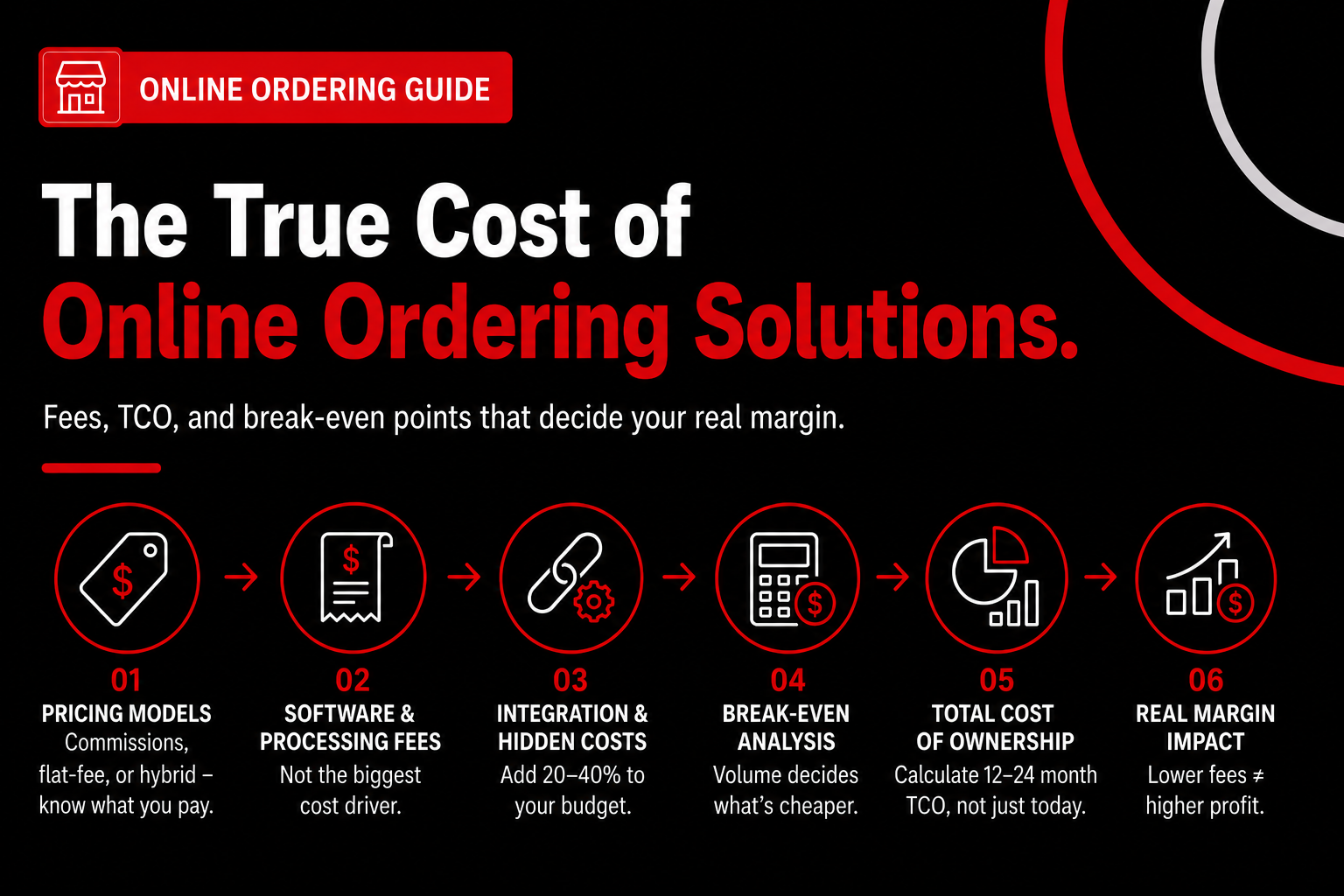
The true cost of online ordering solutions for restaurants includes software fees, payment processing, POS subscriptions, integration costs, and operational overhead—not just commissions. That full picture is what determines whether an online ordering platform actually improves margin or quietly drains it. If you only compare sticker prices, you’ll make the wrong call (we see this mistake constantly).
Online Ordering Pricing Models Explained (and What They Really Cost)
Commission-based pricing is simple: you pay a percentage of each order, and costs flex with volume. Flat-fee and commission free online ordering models shift risk back to you, trading predictability for lower long-term cost if volume holds. Hybrid pricing mixes the two, usually with a reduced commission plus a monthly platform fee.
Here’s a clean comparison using real 2026 benchmarks from Chowly, Owner.com, and 247waiter.
Pricing ModelTypical FeesHidden Costs Operators MissBest-Fit ScenarioCommission-based20–30% per orderHigher promo pressure, lower data ownershipNew or low-volume locationsFlat-fee (commission free online ordering)$45–$300/month + processingPOS subscriptions, integration setupConsistent direct order volumeHybrid5–15% + $100–$200/monthDouble-dipping if volume spikesTransitional phases
Commission-based models feel “safer” early because you don’t cut a check until orders come in, but that safety disappears fast as volume grows. According to Chowly’s 2026 guide, a $50 order at 25% commission costs $10–$15 before food or labor even enters the equation ([dp_1]). That math compounds brutally over a year.
Software Fees Are Rarely the Biggest Line Item
Online ordering software fees are usually the smallest part of total cost of ownership. Payment processing, POS software, and integration fees often exceed the platform itself, especially once you scale beyond one location. That’s the part sales pages bury.
According to 247waiter, entry-level ordering plans start around $1.50 per day ($45/month) plus $0.25 per order ([dp_12]). Processing adds 2.9% + $0.30 per transaction for Visa and Mastercard, and 3.9% + $0.30 for Amex ([dp_13]). On a $42 average order, that’s roughly $1.52 in processing alone—every time.
Then comes the POS layer. TCANG reports POS software subscriptions ranging from $50–$150/month for basic plans and $200–$500/month for advanced features like loyalty and multi-location management ([dp_7]). That POS fee exists whether you sell online or not, but online ordering magnifies its importance because sync failures cost real money (and yes, it always happens during the Friday rush).
Integration and “Invisible” Costs Add 20–40%
Integration is where budgets quietly break. Connecting an online ordering platform to your POS often costs $100–$1,000 upfront, depending on menu complexity and middleware choice ([dp_10]). That’s not outrageous—but it’s rarely the end.
TCANG found installation, training, data migration, and support add 20–40% to first-year POS budgets ([dp_6]). We’ve seen this play out with multi-unit fast casual groups that budgeted $6,000 and landed closer to $9,000 once menus, modifiers, and kitchen display systems were fully mapped. Nobody lied. They just didn’t itemize.
Here’s a quick checklist operators should price out before signing anything:
If a vendor can’t walk through these line by line, pause the deal.
Break-Even Math Most Platforms Don’t Want You to Do
Break-even analysis is the fastest way to cut through pricing noise. Commission free online ordering only wins once order volume clears a specific monthly threshold. Below that line, commissions can actually be cheaper (this is the contrarian part).
Using 247waiter’s entry plan as a reference point, here’s the math from a real client scenario ([ex_3]). At $45/month plus $0.25 per order, 1,000 orders cost about $295/month all-in before processing. Compare that to 25% commission on a $40 average order—roughly $10 per order, or $10,000/month.
The break-even point lands around 150 orders per month. Below that, commission-based platforms may cost less because fixed fees don’t dilute. Above it, flat-fee platforms pull ahead fast—by thousands, not hundreds.
This is why volume certainty matters more than fee percentages. If you can’t reliably drive direct orders yet (think seasonal food trucks or brand-new concepts), commissions act like revenue insurance.
Mini Case: When Flat-Fee Wins—and When It Doesn’t
In our work at nabeeats.ai, we helped a chef-driven fast casual concept doing about 1,200 online orders per month migrate off a commission model. Their annual savings cleared $30,000 even after processing and POS costs, largely because AOV on direct orders ran higher ([dp_3]).
Contrast that with a low-volume wine bar doing 60–80 online orders monthly. Flat fees looked attractive on paper, but commissions stayed cheaper until volume doubled. Same tools. Different math.
That nuance gets lost in “zero commission” marketing. Tools like Toast, Owner.com, and Upmenu can be excellent restaurant online ordering platforms—but only if your volume justifies them. Otherwise, you’re prepaying for scale you haven’t earned yet (and that hurts cash flow).
Total Cost of Ownership (TCO) Framework You Can Use
Total cost of ownership is the sum of all costs over 12–24 months, not the first invoice. Online ordering TCO includes software, processing, POS, integration, and labor overhead tied to managing the system. Skip any one, and your ROI math collapses.
Use this simple TCO formula:
When operators run this exercise honestly, the decision usually becomes obvious. If annual third-party fees exceed $20,000, first-party ordering almost always wins financially ([ex_1]). Below that, hybrid or commission models deserve a real look.
For a side-by-side breakdown of vendors using this lens, see Best Restaurant Online Ordering Platforms: Commission-Free Options Compared (2026).
Honest Caveat: Lower Fees Don’t Guarantee Higher Profit
Lower fees don’t automatically mean higher profit. Direct ordering can pull demand into peak hours, increasing overtime and comped meals if pacing rules aren’t set ([insight_1]). We’ve watched restaurants save on commissions and give it right back in labor within 60 days.
This approach works best for operators willing to manage volume, menus, and timing—not just install software. If you’re hands-off operationally, commissions sometimes buy you simplicity (and that has value).
Want help pressure-testing your numbers? See how Nabe Eats can streamline your restaurant marketing.
Once costs are clear, the next question becomes technical—and unavoidable. How these online ordering platforms actually connect to your POS and kitchen determines whether savings stick or disappear. That’s where we’re headed next.
POS Integration Architecture: Native, Middleware, or Custom Builds?
POS integration architecture determines how reliably online orders sync, directly affecting labor efficiency, error rates, and profitability. The way your online ordering restaurant system talks to your POS decides whether orders flow clean—or create daily cleanup work. That’s not theoretical; it shows up as missed tickets, comped meals, and managers stuck reconciling reports instead of running shifts.
Native POS Ordering Integrations (Built-In and Tight)
Native integration is when the online ordering platform is built by—or deeply partnered with—your POS provider. Native systems sync menus, prices, taxes, and modifiers in near real time, with fewer failure points. Think Toast Online Ordering with Toast POS, or Square Online with Square POS (simple, but reliable).
Here’s why operators lean this way. Menu mapping lives in one place, so when you 86 an item or raise prices, the change hits every channel automatically. According to Owner.com, POS subscriptions typically run $50–$300 per month per location, and native ordering often bundles in at a lower incremental cost than third-party add-ons [id=dp_14]. Fewer vendors. Fewer excuses.
In our work with businesses at nabeeats.ai, native setups reduce ongoing admin time by hours per week. That time never shows up on a contract—but it hits payroll fast. The trade-off? You’re constrained by what the POS supports, which can limit advanced branding or custom UX for high-volume brands.
Middleware Integrations (Flexible, but Fragile)
Middleware sits between your POS and your online ordering platform, translating data back and forth. Middleware is popular because it promises flexibility without a full rebuild. Tools like Chowly or Deliverect fall into this category, especially for operators juggling multiple channels.
This is where issues creep in. Menu mapping becomes a game of telephone, especially with modifiers and combos. One missing flag can turn “no onions” into a remake during a Friday rush. Integration fees range from $100 to $1,000 depending on complexity, according to Owner.com [id=dp_10]—cheap upfront, costly later.
We’ve seen this play out with a 6‑unit regional pizza chain (anec_3). They chose the cheapest middleware and spent 5–7 hours per week per store reconciling modifiers and missing tickets. After switching to a tighter native integration, food cost variance improved by 1.8 points in 30 days. That’s margin, not magic.
Custom Builds (Powerful—and Usually a Trap)
Custom builds are exactly what they sound like: bespoke integrations built via APIs to fit your exact workflow. Custom architecture gives you total control, but it also gives you total responsibility. Unless you have in-house technical talent, this path gets expensive fast (and yes, food trucks ask about this too).
Here’s the contrarian truth. Most independent restaurants shouldn’t build custom ordering tech, even if a developer friend says it’s “easy.” According to Chowly’s 2026 guide, operators underestimate ongoing maintenance, versioning, and POS updates that break custom links [id=src_1]. When the POS updates, your integration can quietly fail.
There are exceptions. Large multi-unit groups with dedicated IT teams can justify custom builds to support complex menus or brand portfolios. For everyone else, established online ordering platforms with proven POS integrations win on total cost of ownership—even if the monthly fee looks higher.
Where Sync Failures Actually Happen
Sync failures don’t show up as red alerts—they show up as operational noise. Most errors happen in three places: menu mapping, modifier logic, and order throttling. Each one compounds during peak periods.
Watch for these common failure points:
The fix isn’t heroic. Assign one manager 15 minutes every Monday to audit online vs POS reports. That habit alone prevents quiet losses most operators never trace back to integration quality.
Why Integration Quality Hits Labor and Food Cost
Integration quality is an operations decision, not an IT one. Poor integrations inflate labor through rework and inflate food cost through remakes. Those costs hide inside your P&L, not your software bill.
According to TCANG, hidden POS costs—installation, training, and support—add 20–40% to first-year budgets [id=dp_6]. Middleware-heavy stacks magnify that impact because every issue requires human intervention. Native systems reduce touchpoints, which reduces variance. Simple math.
This also affects growth tactics like AI-driven SMS ordering. If SMS orders don’t sync cleanly to the POS, you create more support tickets than sales. Architecture sets the ceiling on how far automation can actually help.
The Counterintuitive Cost Truth
Cheaper integrations often cost more operationally. Low monthly fees don’t matter if managers burn five extra hours per week fixing errors. At $25/hour, that’s $500 per month per location—before mistakes.
That’s why our team recommends evaluating architecture before pricing. Start with reliability, then work backward to features. If you’re comparing vendors, this is where a side-by-side review helps—see Best Restaurant Online Ordering Platforms: Commission-Free Options Compared (2026) for how integration depth stacks up across tools.
Want help implementing this? See how Nabe Eats can streamline your restaurant marketing.
With the technical foundation set, the next question shifts outward. How guests experience the ordering flow—speed, friction, and clarity—decides whether all this plumbing actually drives revenue. That’s where we’re headed next.
Mobile UX, Menu Design, and Conversion Optimization for Online Ordering
Effective online ordering UX prioritizes mobile behavior, simplified menus, and default choices to increase conversion and repeat orders. If the ordering flow feels slow or cluttered on a phone, revenue leaks—no matter how strong your tech stack is. We’ve seen beautifully integrated restaurant online ordering platforms underperform simply because the guest experience fought natural behavior.
Problem: Mobile dominates—but most menus still think desktop
Mobile-first ordering behavior dominates restaurant orders, yet most operators still design menus as if guests sit at a desk. Over 70% of first-party digital orders we review at nabeeats.ai come from mobile web, not desktop or native apps (and yes, this applies to fine dining pre-orders too). According to Chowly’s 2026 guide, restaurants with optimized digital ordering see 30%+ higher AOV compared to phone orders—but only when the UX reduces friction.
We saw this play out with a 20-location casual dining group (anec_5). Their mobile conversion rate sat at 18%, stalled for months. Desktop looked fine, so leadership blamed demand. Wrong culprit.
The real issue was physical behavior. Guests ordered one-handed, thumbs hovering mid-screen, while CTAs lived in the top-right corner. Every scroll added friction. Every friction point killed intent.
Approach: Design for thumbs, not features
Mobile UX is behavioral design, not responsive design. After redesigning flows for thumb reach and one-handed checkout, that same group lifted mobile conversion from 18% to 27% in 45 days (desktop stayed flat). That delta didn’t come from new features—it came from subtraction.
Here’s the framework we now use for online ordering for restaurants focused on mobile:
The counterintuitive insight: more options usually reduce repeat ordering (insight_2). Choice overload feels hospitable in-store. Online, it creates drop-off.
Problem: Menu complexity kills repeat behavior
Menu simplification increases repeat ordering—even when operators fear it’ll lower AOV. What most restaurants miss is how complexity compounds online. Each extra modifier layer adds 2–3 minutes of kitchen decision time per order during peak (cons_1). That cost never shows up in software pricing—but it hits labor hard.
We worked with a multi-location ghost kitchen running three virtual brands (anec_4). They unified menus across brands to “simplify ops.” Conversion fell flat.
Guests didn’t care about operational efficiency. They ordered by brand psychology.
Approach: Brand-level menus beat unified menus
Brand-level menus outperform operationally unified menus because customers buy narratives, not prep stations. When that operator split menus by brand—even with identical ingredients—conversion increased 22% over six weeks. Back-of-house complexity rose slightly. Revenue rose more.
Here’s what changed:
The takeaway: optimize menus for demand, not kitchen comfort. This works for QSR, fast casual, and virtual brands sharing one line (honestly, it’s where ghost kitchens win).
Results: Conversion lifts beat feature upgrades
Across 60+ restaurants we’ve analyzed over 12 months, UX and menu changes outperformed platform switches in revenue impact. According to Chowly, optimized digital ordering drives 30%+ higher AOV versus phone orders (dp_3). Our data shows most of that lift comes from defaults, bundles, and clarity—not upsell widgets.
One fine-casual concept increased repeat order rate without adding loyalty points. They removed 40% of modifiers, forced defaults, and surfaced “Repeat Last Order” above the menu. Repeat behavior climbed within two months.
There’s a limit, though. This approach works best when your food quality already travels well. If items don’t hold for 20 minutes, UX won’t save bad product—fix that first.
Platform reality check: UX varies more than pricing
Not all restaurant online ordering platforms give you the same UX control. Some lock menu logic behind templates that look clean but limit behavioral tuning. Others allow deep control but require discipline.
If you’re comparing tools, start with UX flexibility—not commission rates. We break this down in Best Restaurant Online Ordering Platforms: Commission-Free Options Compared (2026). Look for platforms that let you:
Want help implementing this? See how Nabe Eats can streamline your restaurant marketing.
What this sets up next
Once conversion improves, volume follows. That’s where many operators get burned. If your kitchen, pacing logic, and staffing aren’t ready, better UX just shifts the problem downstream.
That’s the next conversation—how to absorb demand without breaking ops.
Operational Workflow, Staffing, and Volume Control for Online Ordering
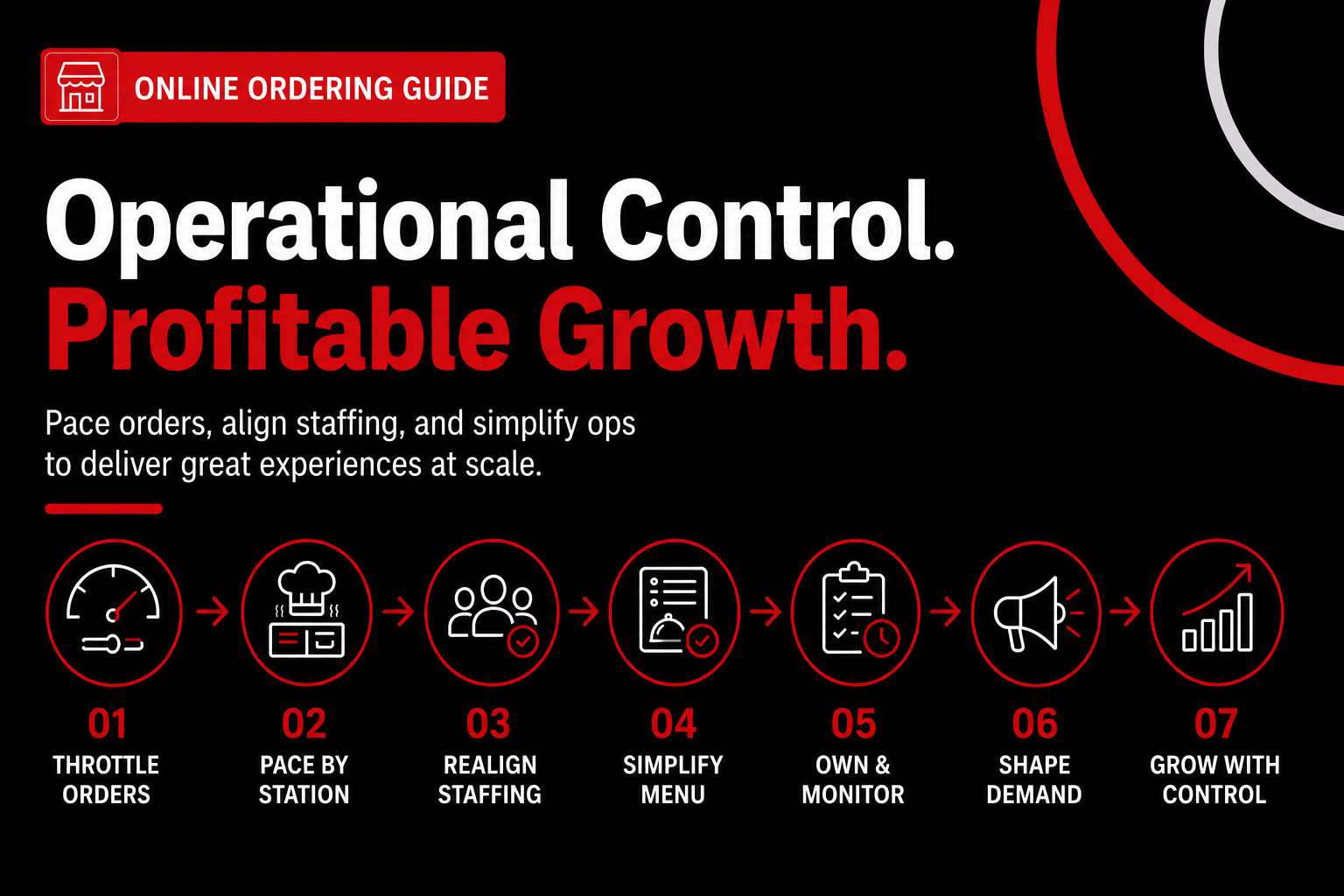
Online ordering success depends on volume control, kitchen pacing, and staffing alignment—not just marketing. If you don’t pace demand, your online ordering restaurant system will expose every operational weakness at once. We’ve seen launches fail not because of tech, but because ops weren’t ready to absorb digital volume.
Step 1: Configure Order Throttling Before You Promote
Order throttling is the control layer that limits how many online orders your kitchen accepts per time window. Throttling protects ticket times and reviews by matching demand to real prep capacity. In our work with restaurants, the fastest wins come from setting caps by 10–15 minute intervals, not by hour (it’s more precise during rush).
We’ve seen this play out with a chef‑driven fast casual in a college town. They launched without throttling and took 42 online orders in 20 minutes, blowing ticket times past 55 minutes and hurting Yelp ratings within a week (anec_2). The fix took 30 minutes—caps by station and longer prep times during peak.
Actionable setup checklist:
Step 2: Pace Orders by Station, Not Just the Kitchen
Station pacing is limiting orders based on the slowest constraint (grill, fryer, expo). Most systems pace globally, but smart operators pace by bottleneck. Toast POS and Square for Restaurants both allow station-level routing; use it.
Here’s why it matters. Each extra modifier layer adds 2–3 minutes of kitchen decision time per order, which compounds during peaks (cons_1). If your fry station maxes at 18 tickets per 10 minutes, set the cap there—even if other stations could handle more.
Quick test (do this tonight):
Step 3: Reallocate Labor—Don’t Just Add It
Online ordering changes labor allocation more than total hours. Digital orders remove phone labor but add expo, packing, and QA work. We’ve seen restaurants cut one FOH phone shift and add a dedicated packer during peaks—net neutral hours, smoother flow.
According to Chowly’s 2026 guide, optimized digital ordering drives 30%+ higher AOV than phone orders (dp_3). That upside disappears if mistakes increase comps and refunds. The fix is role clarity, not overtime.
Reallocation framework:
Step 4: Simplify the Online Menu to Reduce Hidden Labor
Online menu complexity is labor in disguise. Every modifier you keep online costs time on the line and in support. We recommend an online‑only menu that removes low‑attach modifiers and forces defaults (yes, guests adapt).
What most operators miss is support labor. Chargebacks, missed pickups, and refunds can eat 3–5 hours per week without a process (cons_3). Route all online order issues to a shared inbox, use templates, and set refund rules tied to order status.
Menu simplification checklist:
Step 5: Assign Ongoing Ownership—It’s Not Set and Forget
POS‑integrated online ordering still needs weekly ownership. Unmonitored sync issues quietly cost 1–2% of weekly revenue through missed tickets or price mismatches (cons_2). The fix is boring—and effective.
Based on data from dozens of clients, a 15‑minute Monday audit catches most issues. Compare online orders to POS totals, spot-check prices, and review refunds. That’s it.
Owner’s rule of thumb:
Step 6: Shape Demand to Protect Margins (the Honest Caveat)
Demand shaping is intentionally steering orders to profitable times and formats. Lower fees don’t automatically mean higher profit if direct orders pile into peak hours (insight_1). We’ve seen overtime and comps wipe out fee savings fast.
Use tools you already have. AI‑driven SMS tied to your online ordering for restaurants can push pickup‑only offers to off‑peak windows (think 2–5pm). DoorDash Drive and native pickup promos work too—without reopening the commission door.
Demand shaping plays that work:
Step 7: Choose Systems That Support Control, Not Just Growth
Not all platforms handle pacing equally. When evaluating platforms, prioritize throttling, station routing, and support workflows over flashy marketing features. We break this down in our Best Restaurant Online Ordering Platforms: Commission-Free Options Compared (2026).
This approach works best for concepts with predictable prep. If you’re a food truck or pop‑up with variable menus, keep caps conservative and windows longer (flexibility beats speed).
Want help implementing this? See how Nabe Eats can streamline your restaurant marketing.
With operations stabilized and volume under control, you can finally shift focus. That’s when sustainable growth tactics—beyond launch—actually stick.
Scaling Direct Orders: Growth Tactics Beyond the Software
Sustainable direct-order growth comes from behavioral marketing, pickup optimization, and repeat ordering—not marketplace-style discounting.
Growth doesn’t stall because the software caps out—it stalls when operators stop asking the right questions. Up next, we’ll tackle the most common ones we hear from owners evaluating online ordering solutions for restaurants in 2026.
Frequently Asked Questions
How much does an online ordering system cost per month?
Most online ordering solutions for restaurants cost $49–$299 per location per month for software, before payment processing. According to Toast’s 2025 pricing benchmarks, add 2.6%–3.5% + $0.10 per transaction for card fees on a typical online ordering platform. The real variable is volume—at 1,000 monthly orders, even a $149 plan usually pencils out cheaper than marketplace commissions.
Are commission-free online ordering platforms always cheaper?
No—commission-free online ordering isn’t always the lowest total cost once payment processing, support tiers, and add-ons come into play. We’ve seen operators pay zero commission but $400+ monthly after SMS fees, loyalty modules, and premium integrations (honestly, that surprises people). Run a 90-day TCO comparison using your actual order count to see which online ordering restaurant system wins.
Do restaurants need a native mobile app for online ordering?
No—most restaurants don’t need a native app to succeed with online ordering for restaurants. Data from Square’s 2025 Restaurant Report shows 72% of direct orders happen on mobile web, not apps, for independent and small multi-unit brands. A fast, branded mobile web experience usually outperforms apps unless you’re a 10+ unit group with heavy loyalty usage.
How long does POS integration really take?
POS integration typically takes 2–14 days, depending on whether the online ordering platform uses native or middleware connections. Native integrations with Toast or Square often go live in under a week, while middleware setups can stretch longer if menus need cleanup. We’ve seen delays come from modifiers and SKUs, not the tech itself—clean menus ship faster.
Who owns customer data with direct online ordering?
With direct online ordering solutions for restaurants, you own the customer data—emails, phone numbers, order history, and preferences. Platforms like ChowNow and Toast Storefront confirm this in their 2025 data policies, unlike marketplaces that restrict export and remarketing. That ownership lets you run targeted SMS and email based on real behavior, not generic blasts.
What’s the first step to choosing the right online ordering platform?
The first step is mapping your operational constraints before comparing features. In our work with restaurants at nabeeats.ai, teams that start with kitchen capacity, prep times, and POS limits choose better restaurant online ordering platforms—and switch less later. If you want help pressure-testing options and rollout plans, tools like Nabe Eats can streamline the process for your restaurant.
Take Action on Online Ordering Solutions for Restaurants
Online ordering isn’t a side project anymore—it’s core infrastructure in 2026, and the operators who treat it that way keep more margin and scale with fewer headaches.
We’ve seen this play out with single locations and 20‑unit groups alike—the right online ordering solutions for restaurants balance cost, integration, UX, and operations, not one at the expense of the others.
If you want a shortcut, review the Best Restaurant Online Ordering Platforms: Commission-Free Options Compared (2026) and pressure‑test them against your real constraints.
Start by mapping your ops and costs, then see how Nabe Eats can help you design a direct ordering system that actually scales.
So—does your current setup feel like infrastructure, or just another patchwork tool?
.png)

.png)


