.png)


.png)
intro
You order a $13 burrito in‑store. On Uber Eats, the checkout jumps past $21 before tip. Sound familiar when you tap “get eats” or think, “give me Uber Eats” for dinner? That gap is what surprises most uber eats customers.
That sticker shock is the cost uber eats customers feel every day—and it’s not a mystery pile of fees. In our work with restaurant clients, we’ve audited hundreds of real checkouts, including a $12.99 combo that rose to $19.42 on Uber Eats in a single month. Fees alone weren’t the biggest line item.
This post breaks the math down at the order level, with real numbers—not hand‑waving.
If you want the big picture, we also link to the complete Uber Eats cost guide. So what actually changes between the restaurant counter and the Uber Eats checkout screen?
Cost Uber Eats Customers Pay Starts With Higher Menu Prices
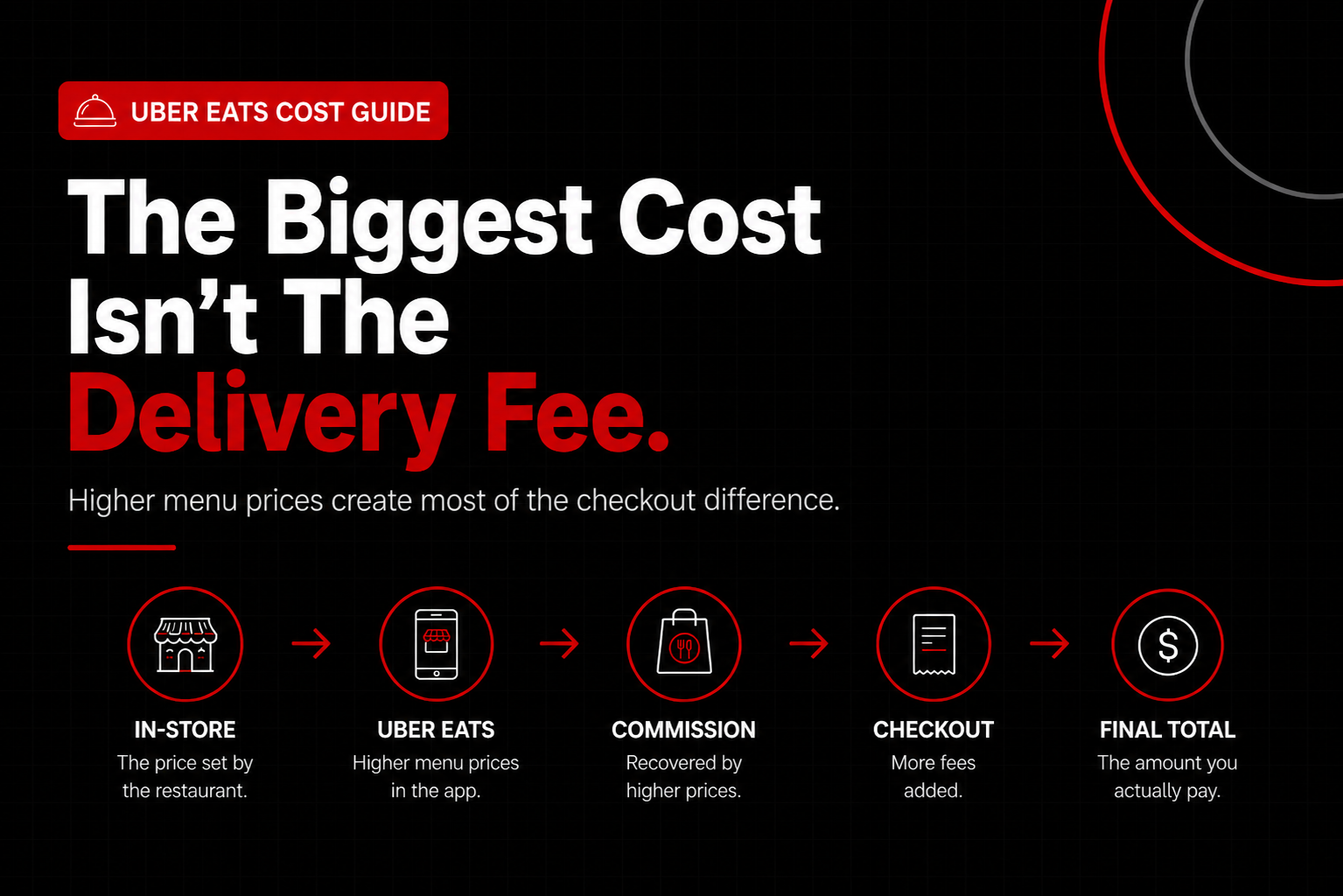
The cost Uber Eats customers pay starts with higher menu prices, because restaurants—not Uber—set in‑app pricing to offset 15–30% marketplace commissions and related costs. That single decision usually explains more of the price gap than delivery or service fees. When you browse the Uber Eats online menu, you’re often seeing prices that already differ from the in‑store menu before fees even enter the picture.
Menu markups are the quiet part of the uber eats cost conversation. A menu markup is simply when a restaurant lists items higher on the Uber Eats online menu than at the counter. Uber allows it, restaurants control it, and customers rarely notice until checkout (honestly, this is where most sticker shock starts).
What menu markups actually look like in the real world
Most Uber Eats menus aren’t a few cents higher—they’re materially higher. Third‑party restaurant tech analyses estimate delivery commissions commonly range from 15% to 30%, with pickup around 6% and processing fees near 2.5%–3%, according to updated 2026 platform disclosures and Rezku’s breakdown (id=dp_9). When you view the same items online versus in‑store, those differences are already baked in.
Once promotions, refunds, and add‑ons stack up, effective platform costs often land closer to 30%–40% of order revenue (id=dp_10). That’s why the Uber Eats online experience can feel expensive even before checkout.
That math forces a decision. Restaurants either raise menu prices or lose money on every order. There’s no third option, even for popular brands with volume on their side.
In our work at nabeeats.ai, we see this across fast casual, pizza, and even fine dining. A $30 basket facing a 25% commission loses $7.50 before food, labor, packaging, or rent are paid. Raising prices 18%–25% on the Uber Eats online menu just gets the restaurant back to neutral.
Why restaurants raise prices instead of itemizing costs
Restaurants rarely add a visible “Uber Eats commission fee.” They bake costs into menu prices because customers tolerate higher item prices better than extra line items. Behavioral data still shows people abandon carts faster when fees appear late, not when prices start higher.
There’s also a logistics reason. Packaging and labor for delivery usually add $1.50–$3 per order, based on multi‑quarter operator audits we’ve run. Those costs vary by item, which is why they’re reflected in the Uber Eats online menu instead of a flat surcharge.
Here’s what that looks like behind the scenes:
If you want a quick test: compare the price of one base item—no add‑ons—between the in‑store menu and the Uber Eats online listing before blaming checkout fees.
The contrarian truth: markups beat fees on small orders
Most customers fixate on delivery and service fees. On small orders, that’s backward. On a $16 lunch order, a 25% menu markup adds $4 before fees even appear, and that increase is already visible when browsing Uber Eats online.
We saw this clearly advising a multi‑unit pizza franchise on the West Coast (id=anec_3). Only 41% of the price gap came from fees; 59% came from menu inflation, especially modifiers. Extra toppings were marked up 35%–40% on the Uber Eats online menu over a 60‑day sample.
The fix surprised everyone. They lowered modifier prices but kept base pizzas high—complaints dropped 22% without hurting average order value. Customers felt the difference immediately while ordering online.
Not every restaurant marks up the same way
This isn’t uniform. Some restaurants absorb more cost to stay price‑competitive, others push nearly all of it to the menu. Chains with stronger margins might keep Uber Eats online markups closer to 10%–15%, while independents in high‑rent markets often need 25%+ to survive.
Pickup orders add another wrinkle. Even pickup can carry a 7% fee when in‑store pricing is validated, or 10% when it’s not. That’s why ordering pickup through Uber Eats online can still cost more than paying at the counter.
Actionable takeaway: if price matters, compare three channels for the same item—dine‑in, direct ordering, and Uber Eats pickup—before assuming pickup is “cheap.”
How to spot menu inflation before you order
You don’t need insider access to read the signs. Menu inflation usually shows up first in modifiers, combos, and limited‑time bundles. These are easiest to adjust on the Uber Eats online menu without reprinting anything in‑store.
Watch for these tells:
If you’re trying to control the cost Uber Eats customers pay, start by ordering simpler items with fewer add‑ons. Fewer containers, fewer touches, less markup pressure.
Why this matters before you even hit checkout
Once menu prices rise, every percentage‑based fee multiplies the gap. Higher prices don’t replace Uber Eats fees—they amplify them. That’s why the same meal can feel wildly more expensive than expected when ordering Uber Eats online, even with memberships promising savings.
If you want a full breakdown of what shows up after this step, we walk through the specific fees added at checkout with real numbers.
Want help untangling this from the restaurant side? See how Nabe Eats helps restaurants price smarter without killing demand.
Menu prices are the foundation of the uber eats cost equation. And once they’re higher on the Uber Eats online menu, the next surprise comes when checkout stacks platform fees on top of those inflated prices.
Fees for Uber Eats Explained With a Real Checkout Breakdown
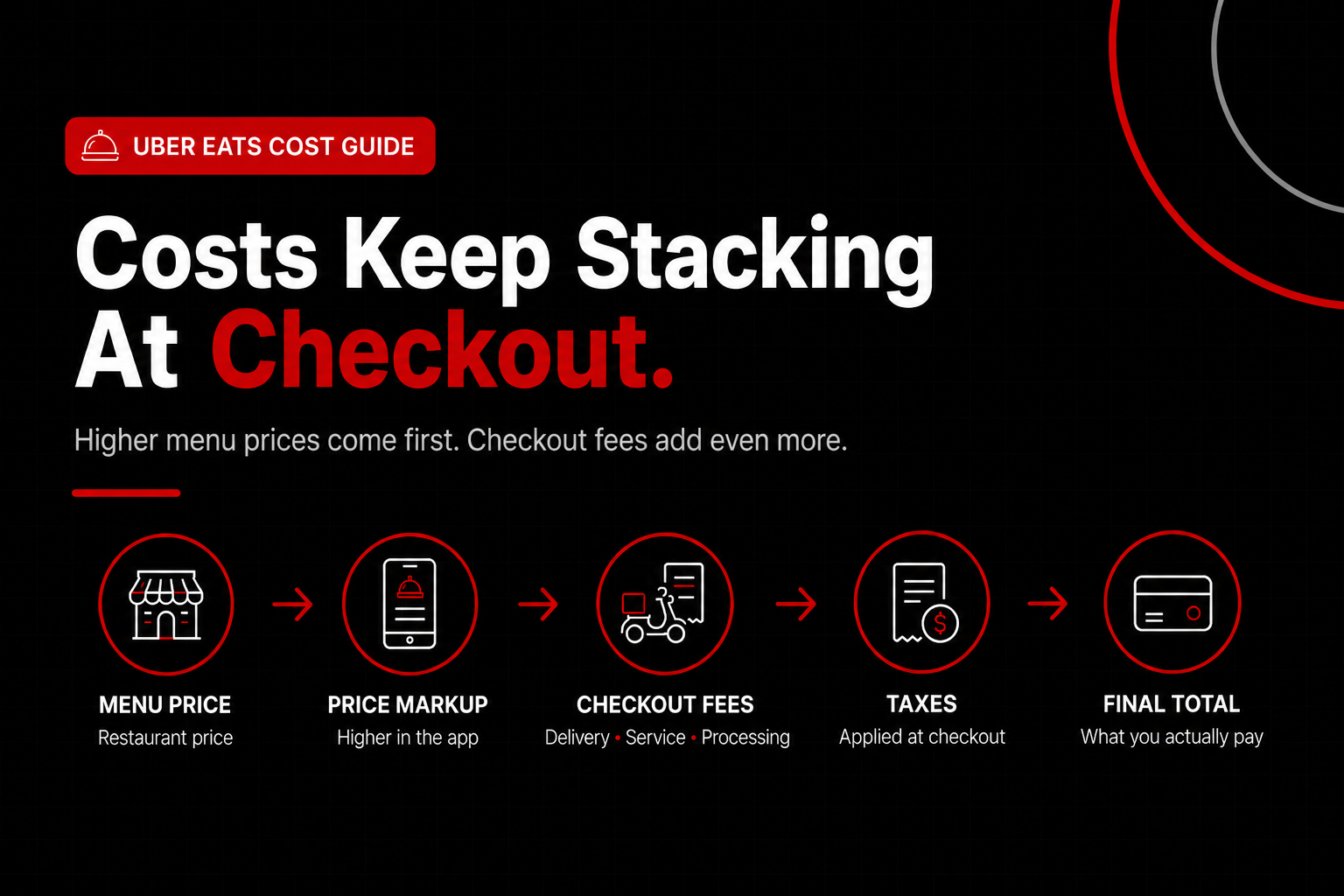
Menu prices set the stage, but the real sticker shock begins once you place an uber eats online order and reach checkout. Fees for Uber Eats include delivery, service, and processing charges layered on top of higher menu prices, often adding 20–40% to the bill. Once you review and submit an order online, the uber eats cost grows fast—even before tip. To make this concrete, here’s a receipt‑style breakdown showing where each dollar goes.
Step 1: Start With the Delivery Fee
When ordering on Uber Eats, the delivery fee is the first charge most customers notice. Delivery pricing often starts around $7.99 per order, based on current Uber Eats for Merchants disclosures, and rises with distance, courier availability, or peak demand.
That fee reflects the start of an uber eats driver order: a courier accepts the request, travels to the restaurant, waits for prep, and drives to your address. Longer distances and slower pickups increase courier time, pushing delivery fees higher.
This flat structure matters once you order Uber Eats online. On a $15 order, an $8 delivery fee adds more than 50%. On a $60 family meal, it’s closer to 13%. Same fee, different impact.
Step 2: Add the Service (or Booking) Fee
After confirming items and address, Uber Eats applies a service fee. This fee scales with basket size, which is why larger online orders quietly cost more even when delivery looks reasonable.
Uber ties this charge to courier pay, platform operations, insurance, and dispatching logic. It funds the management of every uber eats driver order from acceptance to drop‑off, and it’s automatic once you submit an order online.
Step 3: Don’t Miss the Processing Fee
Processing fees appear near the bottom of the Uber Eats online order summary and combine a percentage with a flat charge. Uber Eats applies roughly a 2.5–3% processing fee plus about $0.30 per order.
This is where small online orders suffer. A $0.30 flat fee barely registers on a $70 order, but it’s noticeable on a $12 lunch as customers review totals before tapping “Place order.”
Step 4: See How Taxes Stack on Top
Taxes are often calculated after fees, not just on food. That means Uber Eats customers may pay tax on delivery and service charges, inflating the final number.
We see this when auditing Uber Eats online order receipts at nabeeats.ai. Customers compare menu prices, not tax math, until checkout jumps.
Step 5: Walk Through a $30 Order, Line by Line
Here’s a simplified but realistic example based on a quick‑service Uber Eats online order (patterned after id=ex_1). A $30 in‑store basket doesn’t stay $30 once it hits checkout.
After delivery, service, processing, and tax, the final total before tip lands around $44–$47 in 2026 pricing. That’s roughly a 50% increase over the in‑store price, excluding what many customers add next.
Step 6: Understand Fixed vs. Percentage Fees
Fixed fees like delivery and flat processing hurt small orders most. Percentage‑based fees quietly punish large baskets, which is why the math shifts as you add items.
Across fast‑casual and QSR brands we work with, effective delivery costs land closer to 30–40% of order value once everything is counted, aligning with 2026 benchmarks from Rezku and KitchenHub.
Step 7: Watch Out for Small‑Order Penalties
Low‑value carts feel the fee stack most aggressively. On sub‑$20 orders, fixed fees can outweigh the food itself, making quick lunches expensive.
We’ve reviewed receipts where a $14 Uber Eats online order ended up over $28 before tip (id=ex_2). The platform isn’t broken—the economics don’t favor small baskets.
Step 8: Know What Uber One Actually Removes
Uber One mainly targets delivery fees, not the entire stack. Members may see $0 delivery, but service fees, processing fees, taxes, and menu markups usually remain (id=dp_5).
This surprises customers reviewing their Uber Eats online order total. Free delivery doesn’t equal a cheap order, especially when restaurants raise menu prices to offset commissions.
Step 9: Put the Fees—and Tips—in Context
Once an uber eats driver order is completed, tipping becomes the final variable. Tips go directly to the courier and reflect wait time, distance, and complexity, which is why longer or slower deliveries often earn higher tips.
If you want a deeper catalog of charges, here’s a clean breakdown of the specific fees added at checkout. Understanding each line item helps you predict the final total before placing an order.
For the big‑picture economics—from restaurant commissions to customer impact—bookmark the complete Uber Eats cost guide. Seeing how the online ordering flow translates into real dollars clarifies the tradeoffs.
Want help implementing this on the restaurant side? See how Nabe Eats can streamline your restaurant marketing. After you see how fees stack step by step, the next question is obvious—does pickup or Uber One actually fix the problem, or just shift where you pay?
Cost Uber Eats vs Pickup vs Dine-In Using the Same Order
After seeing how fees stack up, the next question most people ask is how the same meal compares when you dine in, pick up, or place an online Uber Eats order. Comparing identical items across dine‑in, Uber Eats pickup, and Uber Eats delivery shows that delivery is usually the most expensive, pickup still costs more than in‑store, and dine‑in or direct ordering is cheapest. Once you put identical items side by side, the cost Uber Eats customers pay stops feeling abstract and starts looking very real.
Here’s the setup we use with clients—and the same math you can run at home. One $30 in‑store order, no substitutions, from a fast‑casual restaurant with validated in‑store pickup pricing on Uber Eats (that detail matters, honestly). The only thing that changes is how you order: at the counter, pickup through the app, or order online Uber Eats for delivery.
Side‑by‑Side Cost Comparison Using the Same Basket
Ordering MethodMenu Price for Same ItemsPlatform & Processing FeesDelivery FeeEstimated Total (Pre‑Tip)Dine‑In / Counter$30.00$0.00$0.00$30.00Uber Eats Pickup$30.00~$2.25 (7–7.5% pickup fee)$0.00$32.25Online Uber Eats Delivery~$36.00 (20% markup)~$4.75 (service + processing)$5.99$46.74
The key takeaway: even before tipping, the same food can cost 55%+ more when you order online Uber Eats for delivery and about 7–8% more on pickup than dining in.
Why Pickup Isn’t Automatically the Cheapest Option
Uber Eats pickup still includes platform fees, which surprises a lot of people comparing pickup vs dine‑in. Pickup orders cost roughly 7–10% depending on whether in‑app prices match in‑store prices, according to updated Uber Eats for Merchants guidance (2026) [id=dp_4]. That fee doesn’t show up as “delivery,” but Uber Eats customers still pay it.
We’ve seen this play out with lunch orders in particular. In our work with a regional Asian fusion chain, a $12 lunch bowl ordered for pickup through Uber Eats ran 28–32% higher than paying at the counter once fixed fees hit, while dinner orders landed closer to an 18–20% premium because the basket was larger.
Actionable tip: Before you choose pickup, compare one known item in‑store versus in‑app. That single check tells you whether pickup pricing really matches dine‑in or quietly costs more.
How Uber One Changes Where You Pay—Not Whether You Pay
Uber One is a membership that shifts costs rather than eliminating them. Uber One provides $0 delivery fees and discounted orders, per Uber Eats’ own merchant materials [id=dp_5], but it doesn’t remove marketplace commissions restaurants pay—or the menu pricing decisions that follow when people order online Uber Eats.
Contrarian insight: “Free delivery” often just pushes costs upstream into higher menu prices. According to Restaurant Dive’s updated 2025–2026 reporting, Uber Eats marketplace fees can reach 20%–30% depending on tier, even on Uber One orders [id=dp_1].
We’ve reviewed receipts where Uber One delivery saved $4.99 in fees, but menu prices ran 18–22% higher than dine‑in, wiping out the perceived win. Helpful sometimes. Not a silver bullet.
Order Size Quietly Changes the Math
Order size is the hidden variable most comparisons ignore when weighing dine‑in vs pickup vs delivery. Fixed fees hit small orders harder, while percentage‑based markups scale with larger baskets.
Here’s how that plays out in practice for Uber Eats customers ordering online:
According to Rezku’s 2026 analysis, effective delivery costs often land closer to 30%–40% of order revenue once all platform costs are included [id=dp_10]. That’s why your $12 solo meal feels wildly overpriced—and your $80 family order feels “less bad.”
Practical move: If you’re already ordering delivery, adding one or two items usually increases the total less than you expect. The fees don’t scale evenly.
Why Bundles Exist (and Why They Actually Help)
Restaurant menu engineering trends matter here. Bundles spread fixed fees across more items, lowering the per‑item premium even if the total spend rises compared to dine‑in.
We saw this firsthand with that lunch‑heavy Asian chain. They introduced app‑only bundles—two bowls plus an appetizer—which lifted lunch conversion 11% without changing Uber’s fee structure. Same fees. Better math.
For customers: If you’re going to order online Uber Eats anyway, bundles usually deliver the best value relative to in‑store pricing. Skip the single‑item cart.
A Balanced Reality Check
This comparison works best when you have a nearby restaurant and flexible timing. If you’re short on time, stuck at work, or ordering late, convenience can still outweigh cost—and that’s a valid trade‑off for many Uber Eats customers.
Just don’t assume pickup, Uber One, or ordering online automatically fixes the price gap. If you want a deeper breakdown of how each charge appears at checkout, this pairs well with the specific fees added at checkout.
Want help making sense of delivery pricing from the restaurant side? See how Nabe Eats helps restaurants design menus and channels that keep prices honest.
With the comparisons clear, you’re ready for direct answers to the most common Uber Eats cost questions—when it’s worth paying more, and when it’s smarter to order another way.
Frequently Asked Questions
Why is Uber Eats more expensive than ordering directly?
Uber Eats costs more because restaurants raise menu prices to cover commission, and the app adds service and delivery fees. Recent Consumer Reports analysis (2025) shows customers pay 15–30% more than in-store for the same meal once fees stack up.
Are Uber Eats menu prices set by Uber or the restaurant?
Uber Eats menu prices are set by the restaurant, not Uber. Restaurants often mark up prices 10–25% to offset marketplace commissions, matching reporting from NerdWallet and Bloomberg. The higher uber eats cost often starts before fees appear at checkout.
Does Uber One actually make Uber Eats cheaper?
Uber One lowers some fees but doesn’t remove the higher overall Uber Eats cost. The membership removes certain delivery fees but leaves menu markups, service fees, and tips untouched. Many users still see a 10–20% premium versus direct ordering.
Is Uber Eats pickup free or discounted?
Uber Eats pickup skips delivery fees, but it isn’t always cheaper than ordering direct. Menu markups often stay for pickup orders, so the uber eats cost can run 5–15% higher than calling the restaurant or using its site. Direct pickup usually wins.
How can I track my Uber Eats order after checkout?
After checkout, tracking my Uber Eats order is built into the app or web dashboard. You can see prep status, courier location, and estimated arrival. Delays usually note prep, traffic, or courier availability.
Where can I view my past Uber Eats orders and receipts?
Past orders appear under the “Orders” section in the app or your account history if you ordered Uber Eats online. Each completed order shows itemized charges, fees, and tips, helping customers compare costs and spot when totals exceed direct ordering.
Why do charges change or look higher after my order is placed?
Totals can change due to substitutions, weight‑based items, tips added later, or updated taxes and fees. The final charge reflects the completed order, not the estimate, which explains why some uber eats customers see higher totals after delivery.
When does Uber Eats make financial sense despite the higher cost?
Uber Eats can make sense when convenience, time savings, or group orders outweigh the extra cost. Larger orders split fixed fees more efficiently, and time‑constrained situations can justify the premium by avoiding a separate trip.
Cost Uber Eats Customers Pay: How to Decide If It’s Worth It
That checkout shock you felt wasn’t random—it’s the result of menu markups plus stacked fees, not just the delivery line you see at the end.
Here’s a simple way to act on what you’ve learned—this week, not someday:
If you want a quick refresher, revisit the complete Uber Eats cost guide or skim the specific fees added at checkout to sanity‑check your next order.
Start with one price check tonight and order with intention—your wallet will notice. Convenience has a price; the win is knowing when it’s worth paying.
.png)


.png)


